The world of AI development is moving fast, and one area generating a lot of buzz is agentic programming. Imagine an AI that doesn't just answer questions, but can actually plan, execute, and even debug complex coding tasks on its own. While powerful, cloud-based AI agents can be expensive and raise privacy concerns. But what if you could build a capable agentic programming stack right on your local machine, without breaking the bank?
This article dives into exactly that: how to set up a local agentic programming environment using a powerful combination of Ollama, Google's Gemma models, and leveraging the coding capabilities inspired by Anthropic's Claude. We're talking about bringing advanced AI coding assistance into your everyday workflow, with a focus on cost-effectiveness and data privacy.
What Exactly is Agentic Programming?
Before we jump into the tools, let's clarify what "agentic programming" means. Traditionally, when you use an AI for coding, you give it a prompt, and it gives you a response. You're constantly guiding it. Agentic programming takes this a step further. It involves building AI systems, or "agents," that can understand a high-level goal, break it down into smaller, manageable sub-tasks, and then execute those tasks autonomously. These agents can often use various tools (like code interpreters, file systems, or external APIs), learn from their mistakes, and iterate towards a solution, much like a human programmer would.
Think of it as having an AI co-worker that can take a project brief and, with minimal oversight, start writing, testing, and refining code, reporting back on progress and challenges. This approach significantly boosts productivity and allows developers to focus on higher-level design and architecture.
Why Build a Local Agentic Stack?
While cloud-based large language models (LLMs) like GPT-4 or Claude Opus offer incredible power, relying solely on them for agentic workflows comes with a few drawbacks:
- Cost: Extensive agentic loops can quickly rack up API usage fees, especially with powerful models. Running models locally eliminates these per-token costs.
- Privacy & Security: For sensitive projects or proprietary code, sending data to external APIs might not be an option. A local setup ensures your code and data never leave your machine.
- Latency: Local models can often respond faster since there's no network overhead, leading to a smoother and more interactive development experience.
- Customization: Running models locally gives you more control. You can fine-tune them, swap them out easily, and integrate them deeply into your local development environment.
The "cheap" aspect of our stack comes primarily from running powerful, open-source models like Gemma locally, orchestrated by tools that are also free and open-source.
Meet the Components of Our Local Agentic Stack
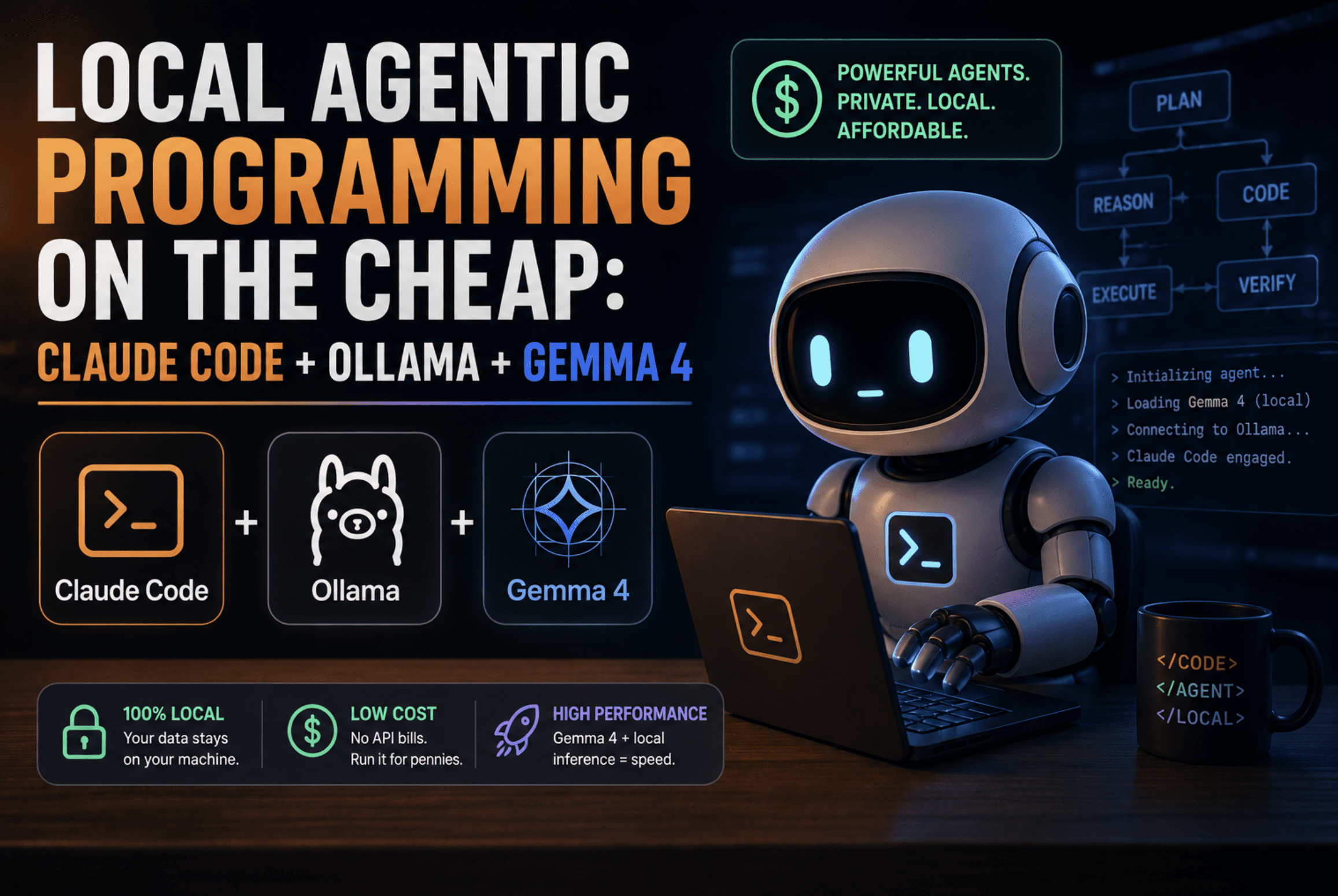
Our cost-effective local agentic programming stack relies on three key players:
- Ollama: The backbone for running local LLMs.
- Gemma: Google's powerful, lightweight open models for code generation.
- Claude Code (Conceptual): Leveraging the principles and capabilities of Anthropic's Claude models for advanced coding tasks, potentially through a hybrid approach or as an inspiration for agentic design patterns.
1. Ollama: Your Local LLM Runner
Ollama is an incredibly user-friendly tool that makes it easy to run large language models on your local machine. It handles all the complex setup, allowing you to download and run various open-source models with simple commands.
- What it is: Ollama is a free, open-source framework designed to simplify the deployment and management of LLMs on your personal computer. It packages model weights, architectures, and data into a single file, making installation straightforward.
- Key Features:
- Easy Model Downloads: Access a vast library of models directly from the Ollama registry.
- Simple API: Provides a REST API that developers can use to integrate local LLMs into their applications.
- Cross-Platform: Available for macOS, Linux, and Windows.
- GPU Acceleration: Automatically leverages your GPU for faster inference if available.
- Model Customization: Allows you to create and share your own custom models.
- Developers & Release: Ollama was developed by Jeffrey Morgan, Greg Lovett, and others, with its first public release around September 2023.
- Official Website: You can find more information and download Ollama from its official website: ollama.com.
2. Gemma: Google's Open Models for Code
Gemma is a family of lightweight, state-of-the-art open models developed by Google. Built from the same research and technology used to create the Gemini models, Gemma is designed to be highly capable yet efficient, making it perfect for local deployment.
- What it is: Gemma models come in various sizes, notably Gemma 2B (2 billion parameters) and Gemma 7B (7 billion parameters), along with their instruction-tuned variants. They are optimized for a wide range of text generation tasks, including coding.
- Why it's great for local agentic programming:
- Performance: Despite their smaller size, Gemma models offer impressive performance, especially for coding tasks, making them suitable for iterative development within an agentic loop.
- Efficiency: Their lightweight nature means they can run effectively on consumer-grade hardware, even without top-tier GPUs.
- Open & Free: Gemma is free for research and commercial use, aligning perfectly with our "on the cheap" goal.
- Code Capabilities: Gemma models have shown strong capabilities in code generation, completion, and explanation, which are crucial for an AI coding agent.
- Developer & Release: Gemma was developed by Google and announced in February 2024.
- Official Resource: Learn more about Gemma and access its resources at ai.google.dev/gemma.
3. Claude Code (Leveraging Claude's Capabilities)
When the original feed item mentions "Claude Code," it refers to the advanced coding capabilities of Anthropic's Claude models (e.g., Claude 3 Opus, Sonnet, Haiku). While these models are primarily cloud-based and incur API costs, their approach to understanding complex instructions, reasoning through problems, and generating high-quality code can serve as an inspiration and a complementary tool for our local stack.
- What it is (Conceptually): "Claude Code" highlights the ability of powerful LLMs like Claude to excel at code generation, debugging, refactoring, and understanding complex programming logic. These models are known for their strong reasoning abilities and adherence to instructions, which are vital for agentic workflows.
- How it fits into a "cheap local" stack:
- Hybrid Approach: For particularly challenging planning or complex architectural decisions, you might use a more powerful cloud-based model like Claude via its API for an initial high-level plan. This plan can then be passed to your local Gemma agent for detailed implementation and iteration, significantly reducing overall API costs.
- Design Inspiration: The agentic patterns and prompting techniques developed for models like Claude can be adapted and applied when building agents around local LLMs like Gemma, guiding them to perform similar reasoning and task breakdown.
- Fallback/Verification: In cases where the local Gemma model struggles, a quick API call to Claude could provide an alternative solution or verify the local model's output, acting as a "second opinion."
- Developer: Anthropic.
- Official Website: Explore Anthropic's Claude models at anthropic.com/product.
How to Build Your Local Agentic Programming Stack: A Step-by-Step Guide
Let's get practical. Here's how you can set up the core components and start experimenting with local agentic programming.
Step 1: Install Ollama
First, you need Ollama to run your local models.
- Download Ollama: Visit the official Ollama website (ollama.com/download) and download the installer for your operating system (macOS, Linux, or Windows).
- Install: Follow the installation instructions provided for your system. It's usually a straightforward process.
- Verify Installation: Open your terminal or command prompt and type
ollama run llama2. Ollama will download the Llama 2 model (if you don't have it) and start a chat session. This confirms Ollama is working. You can type "hi" and get a response. Type/byeto exit.
Step 2: Download and Run Gemma with Ollama
Now, let's get Gemma running.
- Choose a Gemma Model: For local development, Gemma 2B or Gemma 7B are excellent choices. Gemma 2B requires less resources, while Gemma 7B offers more capability. For this tutorial, we'll use
gemma:2b. - Download Gemma: In your terminal, run the command:
Ollama will download the Gemma 2B model. This might take a few minutes depending on your internet speed.ollama run gemma:2b - Interact with Gemma: Once downloaded, Ollama will automatically start a chat session with Gemma 2B. You can now prompt it directly. Try asking it to "Write a Python function to calculate the factorial of a number."
Step 3: Integrate with an Agentic Framework (Conceptual)
To move beyond simple chat and into agentic programming, you'll need a framework to orchestrate your LLM. Popular choices include LangChain, LlamaIndex, or even building a custom agent with Python scripts. Here's a conceptual outline:
- Install a Framework (e.g., LangChain):
LangChain provides tools for building LLM applications, including agents.pip install langchain langchain-community - Connect to Ollama: LangChain has an integration for Ollama. You can initialize an Ollama model like this in Python:
from langchain_community.llms import Ollama llm = Ollama(model="gemma:2b") print(llm.invoke("Explain agentic programming in one sentence.")) - Build a Simple Agent: This involves defining tools your agent can use (e.g., a Python interpreter, file I/O), creating prompts that guide its reasoning, and setting up an agent executor.
A basic agent might look like this (simplified example):
from langchain.agents import AgentExecutor, create_react_agent
from langchain_core.prompts import PromptTemplate
from langchain_community.tools import ShellTool # Example tool

# Define a prompt for the agent
template = """
You are a helpful AI assistant tasked with writing Python code.
You have access to the following tools:
{tools}
Use the following format:
Question: the input question you must answer
Thought: you should always think about what to do
Action: the action to take, should be one of [{tool_names}]
Action Input: the input to the action
Observation: the result of the action
... (this Thought/Action/Action Input/Observation can repeat N times)
Thought: I now know the final answer
Final Answer: the final answer to the original input question

Begin!
Question: {input}
Thought:{agent_scratchpad}
"""
prompt = PromptTemplate.from_template(template)

# Define tools
shell_tool = ShellTool()
tools = [shell_tool]

# Create the agent
agent = create_react_agent(llm, tools, prompt)

# Create an agent executor
agent_executor = AgentExecutor(agent=agent, tools=tools, verbose=True)

# Run a task
# agent_executor.invoke({"input": "Write a Python script that calculates the first 10 Fibonacci numbers and saves them to a file named 'fibonacci.txt'."})
This is a basic illustration. Real-world agentic programming involves more sophisticated tool creation, error handling, and prompt engineering.
- Consider Claude's Role (Hybrid Strategy): If your local Gemma agent struggles with a complex planning task, you could integrate a step where the problem description is sent to Claude's API for a high-level plan or pseudo-code, which is then fed back to your local Gemma agent for detailed implementation.
Benefits of This Local Setup for Developers
- Cost Savings: Dramatically reduces API costs, making experimentation and extensive agentic loops feasible.
- Data Privacy: Your code and proprietary information stay on your machine, which is crucial for sensitive projects.
- Faster Iteration: Local inference means quicker responses, allowing for a more rapid development and debugging cycle for your agents.
- Customization and Control: Full control over the models, their configuration, and how they integrate into your development pipeline.
- Offline Capability: Once models are downloaded, you can continue developing and running agents even without an internet connection.
Challenges and Considerations
- Hardware Requirements: While Gemma is efficient, running LLMs locally still requires decent CPU and RAM, and ideally a dedicated GPU for optimal performance.
- Model Capabilities: Local models like Gemma, while powerful, might not always match the raw reasoning power of the largest cloud models (like Claude 3 Opus) for extremely complex, abstract tasks. This is where the hybrid approach with Claude's API can be beneficial.
- Setup Complexity: Setting up agentic frameworks and tools requires some technical know-how, though tools like Ollama simplify the LLM deployment considerably.
- Keeping Models Updated: You'll need to manually update your local models via Ollama to get the latest versions.
Who Should Try This?
This local agentic programming stack is ideal for:
- Software Developers: Looking to boost productivity with AI code assistance without hefty API bills.
- Hobbyists & Researchers: Interested in experimenting with AI agents and LLMs without cloud dependencies.
- Startups & Small Teams: Seeking cost-effective AI development solutions for internal tools or rapid prototyping.
- Privacy-Conscious Developers: Working with sensitive codebases that cannot be exposed to external APIs.
Conclusion
Building a local agentic programming environment with Ollama and Gemma, complemented by the conceptual power of "Claude Code," offers a compelling alternative to purely cloud-based solutions. It empowers developers to leverage advanced AI capabilities for coding tasks, maintain privacy, reduce costs, and enjoy faster iteration cycles. While it requires a bit of setup, the benefits of having a powerful, autonomous coding assistant running right on your machine are immense. Dive in, experiment, and unlock a new dimension of productivity!