Key Takeaways
- You can now combine the agentic power of Anthropic's Claude Code with local AI models for common coding tasks.
- Running quantized local models for code completion, refactoring, debugging, and codebase explanation offers zero per-token cost, no rate limits, and enhanced privacy.
- Tools like Ollama and LM Studio make it easy to set up a local AI development environment, supporting various code-focused LLMs.
- While excellent for daily tasks, local models may still face limitations with highly complex, multi-file projects compared to top-tier cloud APIs.
Level Up Your Coding: Pairing Claude Code with Local AI Models
The world of software development is constantly evolving, and Artificial Intelligence is at the forefront of this change. While cloud-based AI models have dominated the scene, a significant shift is underway: the rise of powerful, efficient local AI. Imagine harnessing advanced AI capabilities for your daily coding tasks without worrying about API costs, rate limits, or data privacy concerns. This isn't a future dream; it's a present reality in 2026, especially when you pair the sophisticated agentic features of tools like Anthropic's Claude Code with a well-chosen local model.
The Evolution of Local AI for Developers
For years, the promise of AI-powered coding assistants was often tied to cloud services. These services offered immense power but came with trade-offs: sensitive code leaving your machine, per-token costs that could quickly add up, and API rate limits that could interrupt your flow. However, advancements in model architecture, hardware, and quantization techniques have made local Large Language Models (LLMs) incredibly capable.
The core idea is simple yet powerful: for the coding tasks you perform daily—things like generating code snippets, cleaning up functions, finding bugs, or understanding a new part of a codebase—many local models are now "good enough" to handle the vast majority of real-world use cases. This means you get the benefits of AI assistance directly on your machine, with complete control and at no ongoing cost beyond your hardware and electricity.
Understanding Claude Code: Your Agentic AI Assistant
Before diving into local pairing, let's understand the "Claude Code" aspect. Claude Code, developed by Anthropic, is a command-line interface (CLI) tool that brings the power of Claude AI models directly into your local development environment.
Released initially for preview in February 2025 and generally available in May 2025 alongside Claude 4, Claude Code is more than just a chat assistant. It's an agentic AI tool. This means you can describe a goal, and Claude Code will determine and execute the necessary steps to achieve it, interacting directly with your project files.
Key Capabilities of Claude Code:
- Codebase Interaction: It can read existing files, create new ones, modify code in place, and understand your project's structure.
- Agentic Workflows: Instead of step-by-step prompts, you provide a high-level goal, and Claude Code plans and executes the actions, reducing context switching and speeding up complex changes.
- Development Workflow Integration: Claude Code integrates with tools like GitHub and GitLab, allowing it to handle entire workflows from reading issues to writing code, running tests, and submitting pull requests, all from your terminal.
- Multi-File Edits: With its understanding of your codebase and dependencies, it can make coordinated changes across multiple files efficiently.
- Code Onboarding & Explanation: It can map and explain entire codebases in seconds, using agentic search to understand project structure without manual context selection.
- Dynamic Workflows: The latest versions, like with Claude Opus 4.8, include features for dynamic workflows, allowing it to tackle very large-scale problems and run parallel subagents.
Why Pair Claude Code with Local Models?
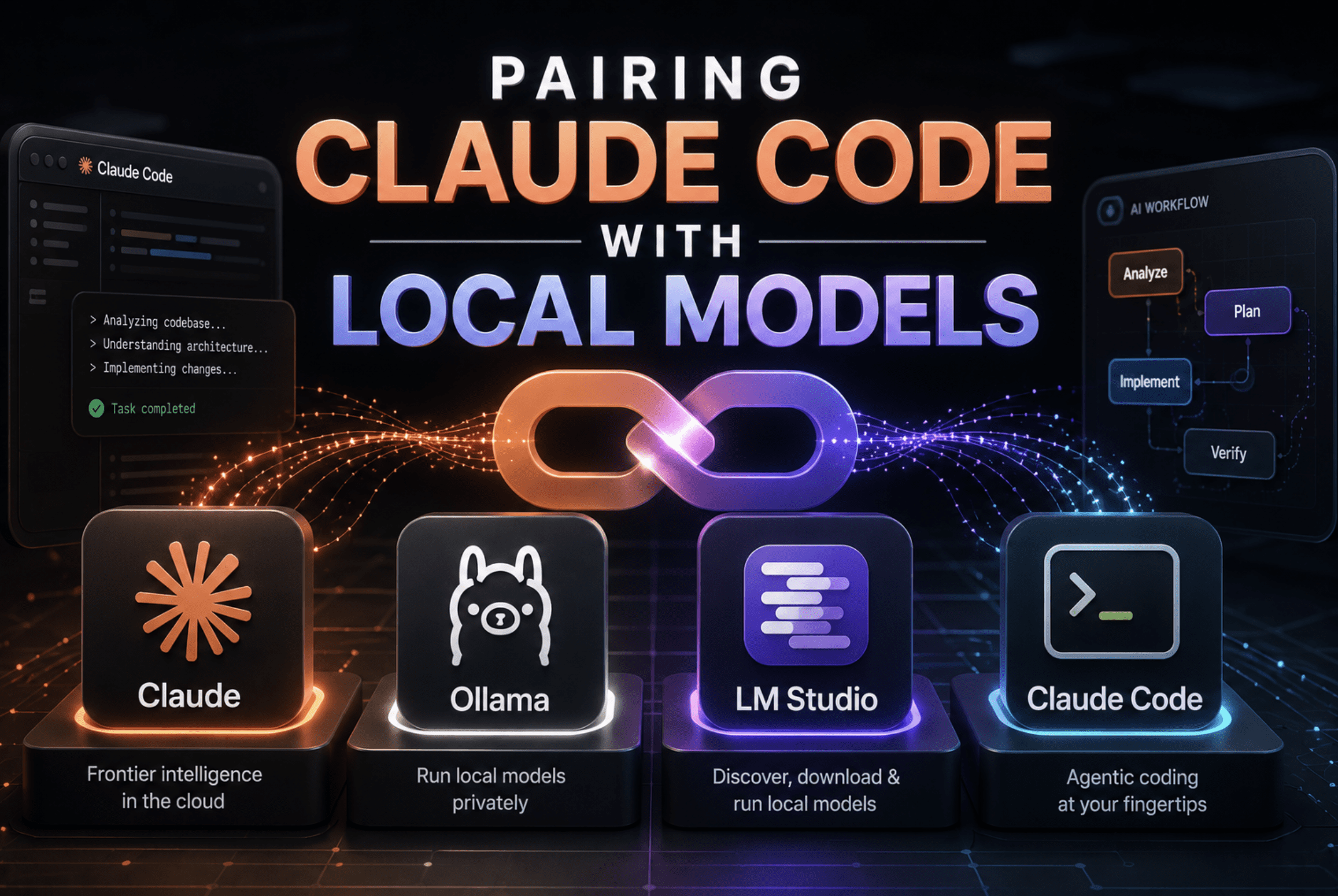
The magic happens when you combine Claude Code's agentic capabilities with the benefits of local LLMs. While Claude Code typically relies on Anthropic's cloud-hosted Claude models, it supports a feature called Model Context Protocol (MCP) that allows it to route requests to a local inference server.
This hybrid approach brings several compelling advantages for developers:
- Zero Per-Token Cost: Once a model is downloaded and running locally, you pay nothing for inference. This eliminates unpredictable API bills, making AI assistance accessible for extensive use.
- No Rate Limits: Cloud APIs often impose limits on how many requests you can make or how much data you can process within a given timeframe. With a local model, your only limit is your hardware's processing power.
- Enhanced Privacy and Security: Your proprietary code and sensitive data never leave your machine. All processing happens locally, minimizing the risk of data leaks or breaches and ensuring compliance with privacy regulations.
- Lower Latency and Faster Responses: Eliminating network round-trips means AI responses are generated almost instantly, leading to a much smoother and more integrated development experience.
- Offline Functionality: Work on your code with AI assistance even without an internet connection, ideal for travel or environments with limited connectivity.
- Full Control and Customization: You have complete control over which model you use, its quantization level, and even the ability to fine-tune it for your specific coding style or project requirements.
How It Works: Quantization and Local Inference
The ability to run powerful LLMs on consumer hardware stems largely from a technique called quantization. In simple terms, quantization reduces the precision of the numbers used to represent a model's weights (e.g., from 32-bit floating-point to 4-bit integers). This significantly shrinks the model's size and memory footprint, allowing it to run on GPUs with less VRAM or even on a CPU.
While quantization can lead to a slight loss of fidelity, for many common coding tasks, the trade-off is well worth it, providing "good enough" performance. Highly optimized quantization formats like GGUF (used by tools like `llama.cpp` and Ollama) are key to this efficiency.
Setting Up Your Local AI Coding Environment:
To pair Claude Code with a local model, you'll typically use an inference server that exposes an OpenAI-compatible API endpoint. This allows Claude Code (or any other tool expecting a standard API) to communicate with your local LLM.
Here are the popular tools for running local LLMs:
-
Ollama: This is a leading platform for running LLMs locally. It simplifies downloading and running models with simple command-line commands. Ollama provides an OpenAI-compatible API, making it easy to integrate with other tools.
Download Ollama
Ollama GitHub Repository -
LM Studio: An all-in-one desktop application that offers a user-friendly graphical interface for discovering, downloading, and running LLMs locally. LM Studio can also run a local server in Model Context Protocol (MCP) mode, which can be configured as the backend for Claude Code by setting the `ANTHROPIC_BASE_URL` environment variable.
Download LM Studio -
llama.cpp: The foundational C/C++ library that enables efficient inference of quantized LLMs on various hardware, including CPUs and Apple Silicon. Many other tools, including Ollama and LM Studio, build upon `llama.cpp`.
llama.cpp GitHub Repository
Once you have an inference server running with a chosen model, you can configure Claude Code to use it. For example, with LM Studio, you would enable the MCP server mode in its Developer tab, note the endpoint URL, and then set your `ANTHROPIC_BASE_URL` environment variable to this local endpoint.
Choosing the Right Local Code Model (as of 2026)
The landscape of open-source code models is rich and rapidly evolving. Here are some top contenders for local deployment in 2026, categorized by their strengths:
-
For Overall Coding Tasks & Agentic Work:
- Qwen3-Coder-Next (Alibaba): An 80B Mixture-of-Experts (MoE) model with 3B active parameters, offering excellent performance on agentic workflows and long context windows. It scores highly on benchmarks like SWE-bench. The 4-bit quantized version typically needs around 45 GB of memory.
- Qwen3-Coder-30B-A3B-Instruct: Often considered the "single-GPU sweet spot" for local coding, offering a good balance of performance (50.3% on SWE-bench Verified) and hardware requirements.
- Devstral Small (Mistral AI & All Hands AI): A 24B model specifically built for driving coding agents, excelling at multi-file edits and fitting on a single GPU.
-
For Code Completion & Low Latency:
- Codestral 22B (Mistral AI): A 22.2B dense model tuned for fill-in-the-middle (FIM) tasks (what editor autocomplete uses). It boasts 95.3% pass@1 on FIM and supports a 256K context window. A 4-bit quantized version runs in about 14GB of VRAM, feeling instant as you type.
- Qwen 2.5 Coder 32B (Alibaba): Touted as a "local coding benchmark king," achieving 92.7% on HumanEval.
-
For Reasoning & Debugging:
- DeepSeek-Coder-V2: Known as a reasoning and algorithm specialist, it performs well in debugging tasks. The 33B model, or its Lite variant, can be run on modest hardware.
-
Lightweight & General Purpose:
- Gemma 4 (Google): Available in various sizes (e.g., 5.1B, 12B, 26B MoE), these models are optimized for on-device deployment and support native vision and function calling. Smaller variants are excellent lightweight choices.
- Llama 3.3 70B Instruct (Meta): A highly capable overall model, though it requires substantial VRAM (48GB+).
- gpt-oss:20b (OpenAI): This open-source model has shown strong coding results and runs well on LM Studio at 4-bit quantization on a 24GB GPU.
When selecting a model, consider your hardware (especially VRAM), the specific task, and the model's fine-tuning. For instance, Q4_K_M quantization is often recommended for the best balance of quality and VRAM usage.
Challenges and Considerations
While the benefits are significant, it's important to set realistic expectations. Local LLMs, especially highly quantized versions, do have limitations:
- Hardware Requirements: A powerful GPU with sufficient VRAM is crucial. For larger models (e.g., 70B parameters), you might need 24GB or more.
- Accuracy for Complex Tasks: For highly complex, multi-file refactoring, debugging intricate runtime errors, or tasks requiring very up-to-date API knowledge, cloud-based models may still offer superior performance. Local models can sometimes get stuck in repetitive loops for such challenges.
- Quantization Precision: The process of quantization can reduce the precision of code generation, where a single wrong token can cause an error.
- Context Window Limits: While models advertise large context windows, actual performance with quantized models on consumer hardware can degrade in the upper ranges. Complex tasks need a lot of context.
- Initial Setup & Maintenance: Setting up the local environment and keeping models updated requires some technical effort.
The key takeaway here is that local models excel at the 80% of coding work that involves pattern-matching, boilerplate generation, and localized tasks. For the remaining 20% of highly complex, open-ended problems, cloud APIs might still be the go-to.
Conclusion
The ability to pair powerful agentic tools like Anthropic's Claude Code with local, quantized AI models marks a significant step forward for developers. This synergy empowers you with an AI coding assistant that is private, cost-effective, fast, and always available. As local AI technology continues to advance, integrating these models into your daily workflow will become an increasingly standard and indispensable practice, offering an unparalleled level of control and efficiency for your coding endeavors.
Frequently Asked Questions
What is Claude Code?
Claude Code is an agentic command-line interface (CLI) tool developed by Anthropic that allows developers to delegate coding tasks using natural language prompts directly from their terminal. It can read, write, and modify code, understand project structures, and integrate with development workflows like GitHub.
Why should I use local AI models instead of cloud-based ones for coding?
Using local AI models offers significant benefits, including complete data privacy (your code never leaves your machine), zero per-token costs, no rate limits, lower latency for faster responses, and the ability to work offline.
What are the best tools for running local LLMs for coding?
Popular tools include Ollama, known for its ease of use and broad model support via command-line, and LM Studio, which provides a user-friendly graphical interface and can serve models via an OpenAI-compatible API.
Can local LLMs handle all coding tasks as well as cloud models?
While local LLMs are highly effective for common tasks like code completion, refactoring, debugging, and codebase explanation, they may still have limitations for extremely complex, multi-file projects, intricate debugging, or tasks requiring the absolute latest API knowledge compared to top-tier cloud models.