Key Takeaways
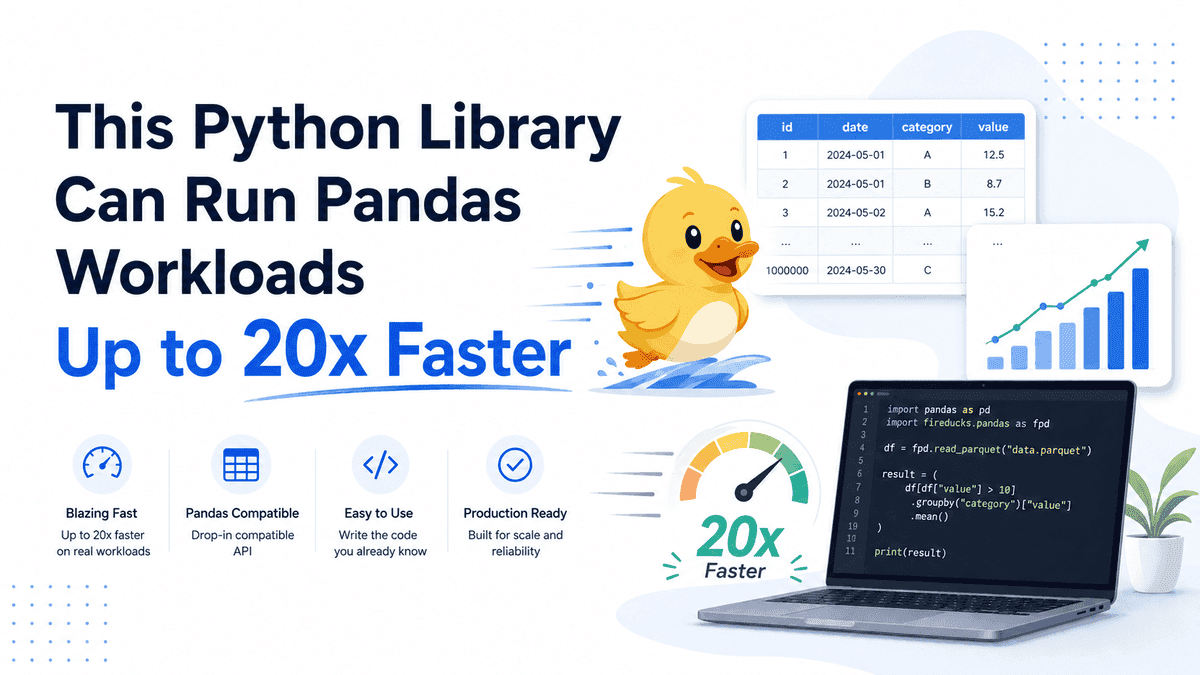
- FireDucks is a Python library by NEC that significantly accelerates Pandas workloads using lazy execution, compiler optimization, and multithreading.
- It offers a Pandas-compatible API, allowing developers to speed up existing code with minimal changes, often just by altering the import statement.
- Benchmarks show FireDucks can be up to 125x faster than Pandas for specific operations and provides an average speedup of 6.7x to 79x depending on the benchmark and whether I/O is included.
- FireDucks is free, open-source, and currently available for Linux (x86_64) and MacOS (ARM), with Windows support under development.
If you've ever found yourself staring at your screen, waiting for your Python Pandas code to finish processing a large dataset, you're definitely not alone. Pandas is a fantastic library for data manipulation, but its performance can hit a wall when dealing with millions or billions of rows. This is a common bottleneck for data scientists and machine learning engineers, especially when preparing data for AI models.
Enter FireDucks, a powerful Python library developed by NEC, a company with over 30 years of experience in supercomputing technology. FireDucks is designed to supercharge your Pandas workflows, promising significant speed improvements—sometimes up to 125 times faster than standard Pandas—without requiring you to rewrite your entire codebase. This tutorial will walk you through what FireDucks is, how it works, and how you can integrate it into your projects to accelerate your data processing tasks.
What is FireDucks and Why Does It Matter for Developers?
FireDucks is a compiler-accelerated DataFrame library for Python that boasts a fully compatible Pandas API. This means it's built to understand and execute your existing Pandas code, but with a crucial difference: it runs much, much faster, especially on large datasets.
Why is this a big deal for developers, particularly those working in data science and machine learning? Data preparation, often called data wrangling or ETL (Extract, Transform, Load), is a time-consuming part of any data project. Data scientists often spend a significant portion of their time—around 45%—just getting data ready for analysis. When dealing with massive datasets, the single-threaded and eager execution model of traditional Pandas can lead to long waiting times, increased computational costs (especially in the cloud), and higher CO2 emissions.
FireDucks addresses these issues by leveraging advanced techniques from supercomputing, providing a more efficient way to handle large-scale data manipulation. It aims to reduce processing times, lower cloud expenses, and even contribute to a greener computing environment.
How FireDucks Achieves Its Speed
The magic behind FireDucks' impressive performance lies in three core mechanisms:
- Lazy Execution Model: Unlike Pandas, which uses an "eager" execution model (meaning each operation runs immediately), FireDucks employs "lazy" execution. It first collects a series of DataFrame operations, builds an optimized execution plan, and then runs the entire workload. This approach allows FireDucks to avoid unnecessary intermediate calculations and perform optimizations across the entire chain of operations, similar to how other high-performance libraries like Spark, Polars, and DuckDB work.
- Compiler Optimization (JIT Compilation): FireDucks includes a runtime compiler (Just-In-Time or JIT compiler) that translates your Python code into an intermediate language before execution. This compilation refines the underlying instructions, automatically applying optimizations that would otherwise require manual effort from a developer.
- Multithreaded Processing: FireDucks is designed to be multithreaded, meaning it can efficiently utilize all available CPU cores to process large datasets in parallel. This parallelization is a key factor in its ability to achieve significant speedups, especially for operations like joins, group-bys, and sorts. FireDucks' multithreaded backend is based on Apache Arrow data structures.
Getting Started with FireDucks: A Step-by-Step Tutorial
Ready to put FireDucks to the test? Here’s how to install it and start accelerating your Pandas code.
Step 1: System Requirements and Installation
Before installing, note that FireDucks is currently available for Linux (x86_64 architecture) and MacOS (ARM architecture). Windows support is under development, but you can use it via Windows Subsystem for Linux (WSL). Ensure you are using Python versions greater than 3.8 and less than or equal to 3.13.
You can install FireDucks using pip, the Python package installer:
pip install fireducks
If you also want to work with other libraries for comparison or need specific dependencies, you might install them together:
pip install pandas fireducks numpy
Step 2: Basic Usage - Explicit Import
The simplest way to use FireDucks is by explicitly importing its Pandas-like module. Instead of importing pandas as pd, you import fireducks.pandas as pd. This allows you to use almost all your existing Pandas code with FireDucks' optimizations.
# import pandas as pd # This is your usual pandas import
import fireducks.pandas as pd # This is how you use FireDucks

# Create a sample DataFrame
data = {'col1': range(1_000_000),
        'col2': [f'category_{i % 10}' for i in range(1_000_000)],
        'col3': [float(i) for i in range(1_000_000)]}
df = pd.DataFrame(data)

print(df.head())
print(df.info())
When you run this, pd.DataFrame will now be a FireDucks DataFrame, which internally uses its optimized execution engine.
Step 3: Using the Import Hook for Existing Projects
For larger projects with many scripts that import Pandas, manually changing every import statement can be tedious. FireDucks offers an "import hook" utility that automatically replaces import pandas with FireDucks when running your script.
For Python Scripts:
If you have a Python script named your_script.py that uses Pandas, you can run it with the FireDucks import hook like this:
python3 -m fireducks.pandas your_script.py
Inside your_script.py, you would keep your standard Pandas import:
# your_script.py
import pandas as pd

data = {'value': range(1_000_000)}
df = pd.DataFrame(data)
print(df['value'].sum())
When executed with python3 -m fireducks.pandas your_script.py, FireDucks will intercept the import pandas as pd and substitute its own optimized version.
For IPython/Jupyter Notebooks:
In a Jupyter Notebook or IPython environment, you can use a magic command to enable the import hook:
# In a Jupyter Notebook cell
%load_ext fireducks.pandas
import pandas as pd # This import will now be replaced by FireDucks internally

# Your regular pandas code here
df = pd.DataFrame({'A': range(1_000_000), 'B': [f'cat_{i % 5}' for i in range(1_000_000)]})
grouped_df = df.groupby('B').sum()
print(grouped_df)
This is incredibly useful for seamlessly integrating FireDucks into existing notebooks.
Step 4: Demonstrating Performance Improvements with Common Operations
Let's look at some common Pandas operations and how FireDucks can accelerate them. We'll compare a simple Pandas DataFrame with a FireDucks DataFrame.
Example 1: Filtering and Aggregation
We'll create a large DataFrame and perform a filter followed by a groupby and sum operation.
import time
import pandas as pd
import fireducks.pandas as fd_pd
import numpy as np

# Data setup
num_rows = 10_000_000
data = {
    'id': np.arange(num_rows),
    'category': np.random.choice(['A', 'B', 'C', 'D', 'E'], num_rows),
    'value': np.random.rand(num_rows)

• 100
}

# Pandas execution
print("Running with Pandas...")
pandas_start_time = time.time()
df_pandas = pd.DataFrame(data)
filtered_grouped_pandas = df_pandas[df_pandas['value'] > 50].groupby('category')['value'].sum()
pandas_end_time = time.time()
print(f"Pandas execution time: {pandas_end_time - pandas_start_time:.4f} seconds")
print(filtered_grouped_pandas)

print("\nRunning with FireDucks...")
fireducks_start_time = time.time()
df_fireducks = fd_pd.DataFrame(data)
# Note: With lazy execution, you often need to explicitly materialize the result
# using ._evaluate() or by printing it to trigger computation.
filtered_grouped_fireducks = df_fireducks[df_fireducks['value'] > 50].groupby('category')['value'].sum()._evaluate()
fireducks_end_time = time.time()
print(f"FireDucks execution time: {fireducks_end_time - fireducks_start_time:.4f} seconds")
print(filtered_grouped_fireducks)
You should observe a noticeable speed difference, especially with larger datasets. The ._evaluate() method is a special FireDucks API call that forces the lazy execution plan to run and materialize the result.
Example 2: Sorting a Large DataFrame
Sorting can be a particularly slow operation in Pandas on large datasets. FireDucks excels here due to its optimizations and multithreading.
import time
import pandas as pd
import fireducks.pandas as fd_pd
import numpy as np

num_rows = 5_000_000
data = {
    'col_a': np.random.randint(0, 1000, num_rows),
    'col_b': np.random.rand(num_rows),
    'col_c': np.random.choice(['X', 'Y', 'Z'], num_rows)
}

# Pandas sorting
print("Sorting with Pandas...")
df_pandas_sort = pd.DataFrame(data)
pandas_sort_start = time.time()
sorted_pandas_df = df_pandas_sort.sort_values(by='col_a')
pandas_sort_end = time.time()
print(f"Pandas sort time: {pandas_sort_end - pandas_sort_start:.4f} seconds")

# FireDucks sorting
print("\nSorting with FireDucks...")
df_fireducks_sort = fd_pd.DataFrame(data)
fireducks_sort_start = time.time()
sorted_fireducks_df = df_fireducks_sort.sort_values(by='col_a')._evaluate()
fireducks_sort_end = time.time()
print(f"FireDucks sort time: {fireducks_sort_end - fireducks_sort_start:.4f} seconds")
Benchmarks have shown FireDucks to be significantly faster for sorting operations, sometimes over 20 times quicker than Pandas.
Step 5: Exporting FireDucks DataFrame to Pandas
While FireDucks is highly compatible with the Pandas API, there might be cases where you need to convert a FireDucks DataFrame back to a standard Pandas DataFrame, for example, when interacting with libraries that explicitly expect a Pandas DataFrame. FireDucks provides a simple method for this:
import fireducks.pandas as fd_pd
import pandas as pd

df_fireducks = fd_pd.DataFrame({'A':, 'B':})
pandas_df = df_fireducks.to_pandas()

print(type(df_fireducks))
print(type(pandas_df))
print(pandas_df)
Conversely, you can also import a Pandas DataFrame into FireDucks using pd.from_pandas().
Step 6: Understanding Benchmarks and Real-World Performance
The performance gains with FireDucks can vary depending on the specific workload, data size, and hardware. While some benchmarks show FireDucks being 20x faster for operations like sorting, others indicate an average speedup of 6.7x to 7.28x across a range of common data processing tasks. For operations on very large datasets (e.g., 50 GB), FireDucks has been observed to be up to 79x faster than Pandas (excluding I/O) and 38x faster (including I/O) in TPC-H benchmarks.
The FireDucks development team at NEC actively publishes benchmarks on their official website, comparing it against Pandas and other DataFrame libraries like Polars and DuckDB.
Who Should Use FireDucks?
- Data Scientists and ML Engineers: If you frequently work with large tabular datasets (gigabytes to terabytes) and find Pandas operations slow, FireDucks can drastically cut down your data preparation time. It's particularly useful for ETL pipelines, batch processing, and exploratory data analysis (EDA).
- Developers with Existing Pandas Codebases: The high API compatibility means you can often integrate FireDucks with minimal code changes, making it a low-cost solution for performance bottlenecks in existing projects.
- Anyone Concerned About Cloud Costs and Efficiency: By speeding up computations, FireDucks can reduce the amount of time your cloud resources are active, leading to lower costs and a smaller carbon footprint.
You can find the official FireDucks website and its GitHub repository for more information and to report issues.
Frequently Asked Questions
Does FireDucks require a GPU?
No, FireDucks primarily operates on the CPU, leveraging multithreading and compiler optimizations to achieve its speed. A GPU version of FireDucks is currently under development, which internally uses cuDF.pandas for kernel operations while adding JIT optimization.
Is FireDucks a complete drop-in replacement for Pandas?
While FireDucks offers high compatibility with the Pandas API, it's not a 100% complete drop-in replacement. There might be minor differences or specific Pandas features or third-party libraries that have compatibility issues. However, for most common data manipulation tasks, it works seamlessly.
What kind of performance improvements can I expect with FireDucks?
Performance improvements vary by workload and dataset size. Benchmarks from the FireDucks team and independent sources show speedups ranging from an average of 6.7x to 79x over Pandas, and up to 125x for specific operations. Sorting, filtering, grouping, and joining large datasets often see the most significant gains.
Is FireDucks free to use?
Yes, FireDucks is a free and open-source software program, released under the 3-Clause BSD License (Modified BSD License). It was launched as a free beta version in October 2023 by NEC.