Key Takeaways
- GitHub Agentic Workflows are now in public preview, allowing developers to automate complex repository tasks using AI agents within GitHub Actions.
- Workflows are defined using natural language in Markdown, which is then compiled into standard GitHub Actions YAML.
- They enable intelligent automation for tasks like issue triage, PR reviews, documentation updates, and test improvements, augmenting traditional CI/CD.
- Costs involve standard GitHub Actions minutes and AI inference charges, managed by AI Credits (AIC) where 1 AIC = $0.01 USD.
- The system is built with strong security guardrails, including sandboxing, read-only defaults, and gated outputs, to ensure safe execution.
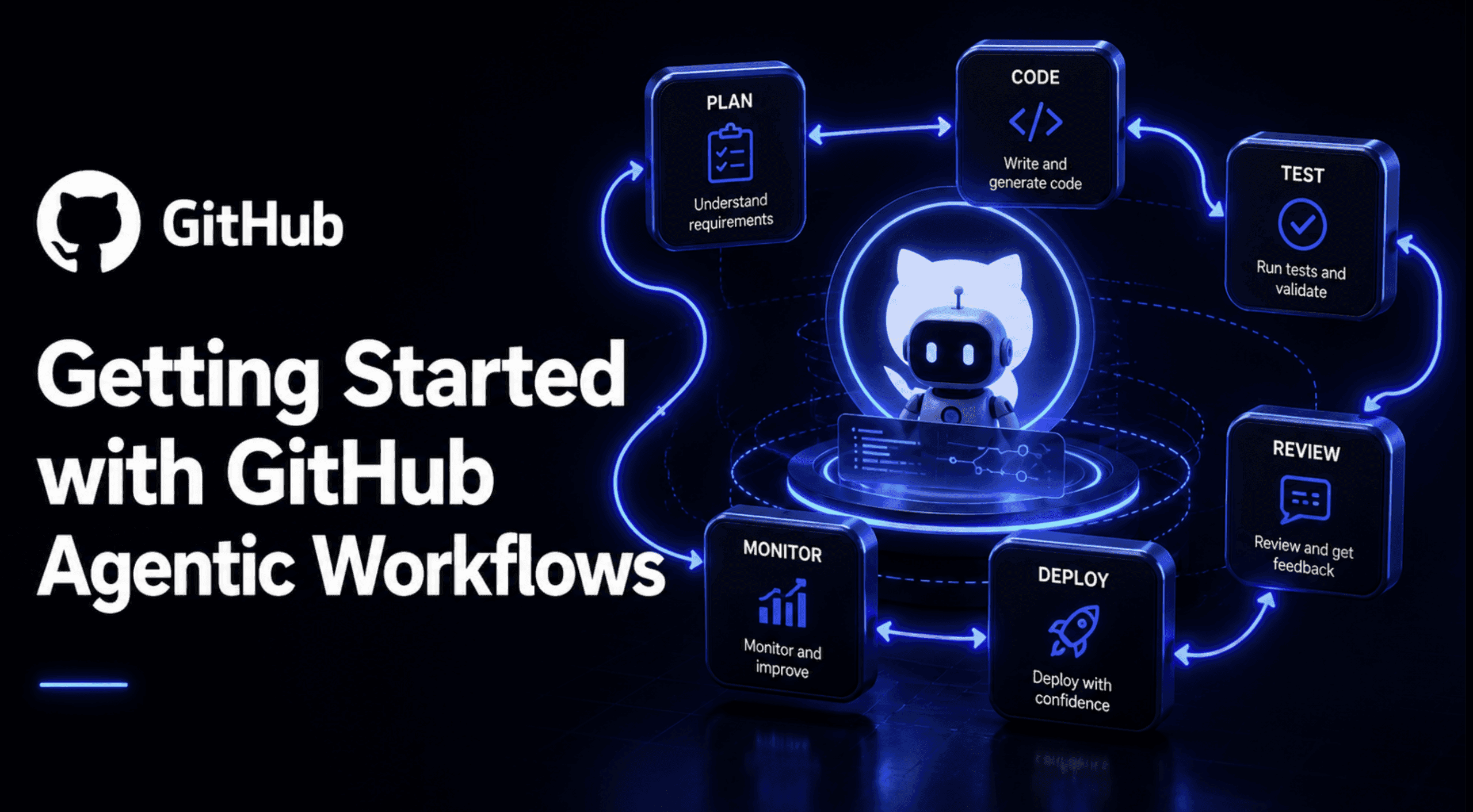
The world of software development is always moving forward, and with AI, it's picking up even more speed. GitHub, a platform that's central to how millions of developers collaborate, is now stepping up its game with something called GitHub Agentic Workflows. These workflows are currently in public preview, and they promise to change how we automate tasks within our repositories.
Forget complex YAML files for every single automation. Imagine describing what you want your repository to do in plain English, and an intelligent AI agent takes care of the rest, making smart decisions based on context. That's the core idea behind Agentic Workflows. This isn't about replacing developers; it's about giving them powerful new tools to handle repetitive, reasoning-based tasks that traditional automation struggles with.
What Exactly Are GitHub Agentic Workflows?
At its heart, a GitHub Agentic Workflow is an AI-powered automation system for your code repositories. Think of it as giving your GitHub Actions superpowers. Instead of just following rigid "if-then" rules, these workflows use advanced AI models, or "coding agents," to understand the context of your repository, make decisions, and then carry out meaningful actions.
The magic starts with how you define these automations. You don't write complex scripts or intricate YAML configurations from scratch. Instead, you describe the desired outcomes and behaviors using natural language within simple Markdown files. This approach makes creating sophisticated automations much more accessible.
These Markdown files, stored in your repository's .github/workflows/ directory, are then compiled by a command-line interface (CLI) tool, gh aw, into standard GitHub Actions YAML. This means that while you interact with natural language, the underlying execution still leverages the robust and familiar GitHub Actions infrastructure. The system was developed by GitHub, with collaboration from GitHub Next, Microsoft Research, and Azure Core Upstream, highlighting a significant investment in integrating AI into the developer workflow.
Why Do Agentic Workflows Matter to Developers?
GitHub Agentic Workflows represent a significant shift in how developers can approach repository management and code quality. They address a common pain point: the sheer volume of repetitive, often tedious, tasks that consume valuable development time. These can range from triaging incoming issues to ensuring documentation stays current with code changes.
The "why" behind Agentic Workflows can be summarized by a concept GitHub calls "Continuous AI." Just as Continuous Integration (CI) and Continuous Deployment (CD) revolutionized how we build and deploy software, Continuous AI aims to integrate AI seamlessly into the Software Development Life Cycle (SDLC). This isn't about replacing CI/CD; it's about extending automation to more subjective, reasoning-based tasks that traditional, deterministic CI/CD workflows struggle to handle.
For developers, this means:
- Reduced Toil: Automating repetitive chores frees up time for more complex and creative problem-solving.
- Improved Consistency: AI agents can apply consistent rules and best practices across a repository or even an entire organization.
- Faster Feedback Loops: Tasks like pull request reviews or issue triage can happen more quickly, accelerating development cycles.
- Enhanced Code Quality: Agents can proactively identify areas for improvement in code, tests, and documentation.
- Lower Barrier to Automation: Defining workflows in natural language Markdown makes sophisticated automation accessible to a broader range of developers, not just those proficient in YAML scripting.
How Do GitHub Agentic Workflows Operate?
Understanding the underlying mechanism of Agentic Workflows helps appreciate their power and design. It's a clever blend of natural language processing, AI agent execution, and the established reliability of GitHub Actions.
Writing Workflows in Markdown
The developer experience begins with a Markdown file. This file acts as the blueprint for your automation. It typically has two main sections: a YAML frontmatter for configuration (like when the workflow should run, permissions, etc.) and a natural language description in Markdown that tells the AI agent what to do.
For instance, you might write instructions like: "When a new issue is opened, summarize its content, identify key topics, and suggest relevant labels. If it's a bug report, ask for reproduction steps." The gh aw CLI tool then takes this Markdown and converts it into an executable GitHub Actions workflow, ready to run.
The Role of AI Coding Agents
Once the workflow is defined and compiled, it's handed over to an AI coding agent. GitHub Agentic Workflows support various popular models, including GitHub Copilot, Claude Code, OpenAI Codex, and Google Gemini. These agents are the "brains" of the operation, interpreting your natural language instructions, analyzing the repository's context (code, issues, PRs), and making decisions on how to proceed. They can reason, generate code snippets, suggest changes, and interact with GitHub's APIs to perform actions.
Seamless Integration with GitHub Actions
A crucial aspect of Agentic Workflows is their deep integration with GitHub Actions. They run as standard GitHub Actions workflows, which means they benefit from the existing infrastructure, logging, auditing, and policy constraints you already have in place for your CI/CD pipelines. This ensures that agentic automations fit naturally into existing development practices without requiring entirely new tools or environments.
Security-First Design: Guardrails and Controls
Given that AI agents can be susceptible to issues like prompt injection or generating unexpected outputs, GitHub has built Agentic Workflows with a strong emphasis on security. They incorporate layered controls to keep each run contained and safe.
- Sandboxed Execution: Agents run within a containerized environment on a GitHub Actions runner, limiting their operational scope.
- Scoped Permissions: By default, agents operate with read-only permissions. They can read repository content, issues, and pull requests but cannot directly write anything.
- Gated Outputs and Review: Any actions an agent wants to take that involve writing to the repository (like creating an issue or opening a pull request) are buffered as structured artifacts. These outputs are then validated through a "safe outputs" process, often involving a separate AI-powered analysis job that scans for malicious code, secret leaks, or policy violations. Developers maintain control by reviewing and approving proposed changes before they are merged.
- Cost Controls: Mechanisms are in place to cap AI Credits per run, preventing unexpectedly high inference costs.
Real-World Applications: Transforming Development Workflows
The capabilities of GitHub Agentic Workflows unlock a new realm of possibilities for automating tasks that were previously too complex or required human judgment. Here are some compelling use cases:
Intelligent Issue Triage
One of the most immediate benefits is automating the often overwhelming process of issue triage. An agentic workflow can automatically summarize new issues, identify their type (bug, feature request, question), assign relevant labels, and even ask clarifying questions to the issue creator. This keeps the issue queue tidy and ensures that developers can focus on the most critical tasks.
Example Workflow: "On new issue creation, analyze the description for keywords indicating 'bug' or 'feature'. Add appropriate labels. If 'bug' is detected, check if reproduction steps are provided; if not, add a comment requesting them."
Automated Pull Request Reviews
Agentic Workflows can provide an initial, automated review of pull requests. They can analyze diffs, suggest improvements, identify potential bugs or style violations, and post feedback comments. This can accelerate the review process and ensure a baseline level of quality before human reviewers get involved.
Example Workflow: "When a pull request is opened, review the code changes for adherence to style guides and common anti-patterns. Suggest unit tests for new functions. Post a summary of potential issues as a PR comment."
Keeping Documentation in Sync
Outdated documentation is a common problem in rapidly evolving projects. Agentic Workflows can help by continuously scanning code changes and comparing them against documentation. If API changes occur, for example, the agent can propose updates to READMEs or API documentation, ensuring that your docs stay accurate and helpful.
Example Workflow: "After a code merge to the main branch, identify any changes to public API functions. If changes are detected, generate a pull request updating the relevant sections of the docs/api.md file."
Enhancing Code Quality and Tests
Agents can be tasked with continuously improving code quality and test coverage. They can assess existing test coverage reports, suggest new tests for uncovered code paths, or even propose code simplifications and refactorings.
Example Workflow: "Weekly, analyze the test coverage report. For any functions below 80% coverage, generate a list of suggested test cases and create an issue for a developer to implement them."
Understanding the Costs: GitHub Actions Minutes & AI Inference
When you use GitHub Agentic Workflows, the cost is generally split into two main components: the standard GitHub Actions minutes consumed by your workflow jobs, and the AI inference costs charged by the model provider for each agent run.
GitHub Actions Minutes: These are billed at standard GitHub Actions pricing, just like any other workflow. A typical agentic workflow run includes a short pre-activation job (10-30 seconds) and the main agent job (1-15 minutes), plus about 1.5 minutes of runner setup overhead per job. GitHub has adjusted Actions compute pricing, and for most users, this has largely offset any increases.
AI Inference: This is where the AI model usage comes in. Costs depend on which AI engine your workflow uses (e.g., GitHub Copilot, Anthropic Claude, OpenAI, Google Gemini).
- For monitoring and budgeting AI inference costs, GitHub uses AI Credits (AIC), where 1 AIC equals $0.01 USD.
- If you're using GitHub Copilot as your agent, the Copilot CLI agent is included with your GitHub Copilot subscription. For individual users, this is typically $19 per month, with varying enterprise pricing.
- It's important to note that GitHub changed how it charges for Copilot on June 1, 2026, moving from a fixed metering system to token-based billing using GitHub AI Credits. This means that for "heavy agentic users," token consumption can be significantly higher, potentially leading to increased costs. GitHub offered promotional credits ($30 for Business, $70 for Enterprise per user per month) for June, July, and August 2026 to help users transition.
- If you opt for other AI providers like Claude or OpenAI, you'll be charged at their standard API rates.
To help manage these costs, GitHub Agentic Workflows allow you to set a max-ai-credits field in your workflow's frontmatter, providing a hard stop for unusually expensive runs.
Getting Started with GitHub Agentic Workflows
As GitHub Agentic Workflows are in public preview, developers can start experimenting with them today. Here's a general path to getting started:
- Ensure GitHub Actions is Enabled: Agentic Workflows run on GitHub Actions, so your repository needs to have Actions enabled.
- Install the
gh awCLI: This command-line tool is essential for compiling your Markdown workflows into executable YAML. - Create Your First Workflow: Start with a simple workflow. GitHub provides documentation and examples on your first agentic workflow that can help you begin. Place your Markdown workflow file in the
.github/workflows/directory. - Choose Your AI Agent: Decide which AI coding agent you want to use (e.g., GitHub Copilot, Claude). Your choice will influence billing and capabilities.
- Start with Read-Heavy Tasks: For initial exploration, it's recommended to begin with workflows that primarily read repository data (like status reports or triage suggestions) before enabling write paths, given the public preview status and potential for API changes.
- Review and Iterate: Always review the agent's proposed changes before merging. The guardrails are there to keep you in control.
You can find more detailed information and official documentation on the GitHub Agentic Workflows homepage and within the GitHub Docs.
The Future of Development with AI
GitHub Agentic Workflows are a clear indicator of GitHub's vision for the future of software development: one where AI agents are deeply integrated into the development lifecycle, acting as intelligent assistants that automate the mundane and augment human creativity. This move towards "natural language programming" for repository automation lowers the barrier to entry for complex tasks and promises to make development teams more efficient and repositories healthier.
While still in public preview, the potential for these workflows is immense. As AI models become even more sophisticated and integrated, we can expect agentic workflows to handle increasingly complex reasoning tasks, further blurring the lines between human and automated contributions, always with developers remaining in control of the final output. This isn't just a new feature; it's a foundational step towards a more intelligent, automated, and ultimately more productive development experience.
Frequently Asked Questions
What is the current status of GitHub Agentic Workflows?
GitHub Agentic Workflows are currently in public preview, meaning they are available for developers to explore and use, though APIs and behaviors may still be subject to change.
How do Agentic Workflows differ from traditional GitHub Actions?
Traditional GitHub Actions follow deterministic "if-then" rules defined in YAML. Agentic Workflows, on the other hand, use AI coding agents to interpret natural language instructions, understand context, and make reasoning-based decisions, allowing for more dynamic and intelligent automation for tasks that require judgment.
What AI models can be used with GitHub Agentic Workflows?
GitHub Agentic Workflows support various AI coding agents, including GitHub Copilot, Claude Code, OpenAI Codex, and Google Gemini.
How are GitHub Agentic Workflows billed?
Billing for Agentic Workflows has two main components: the standard GitHub Actions minutes consumed by the workflow jobs and the AI inference costs from the chosen AI provider. AI inference costs are monitored using AI Credits (AIC), where 1 AIC equals $0.01 USD.