Key Takeaways
- CUGA is an open-source agent harness from IBM Research, designed to simplify building enterprise-grade AI agentic applications.
- It handles complex "plumbing" like planning, execution loops, tool management, and state, letting developers focus on business logic.
- CUGA offers built-in governance through configurable policies, multi-agent orchestration, and supports various LLMs and tool types.
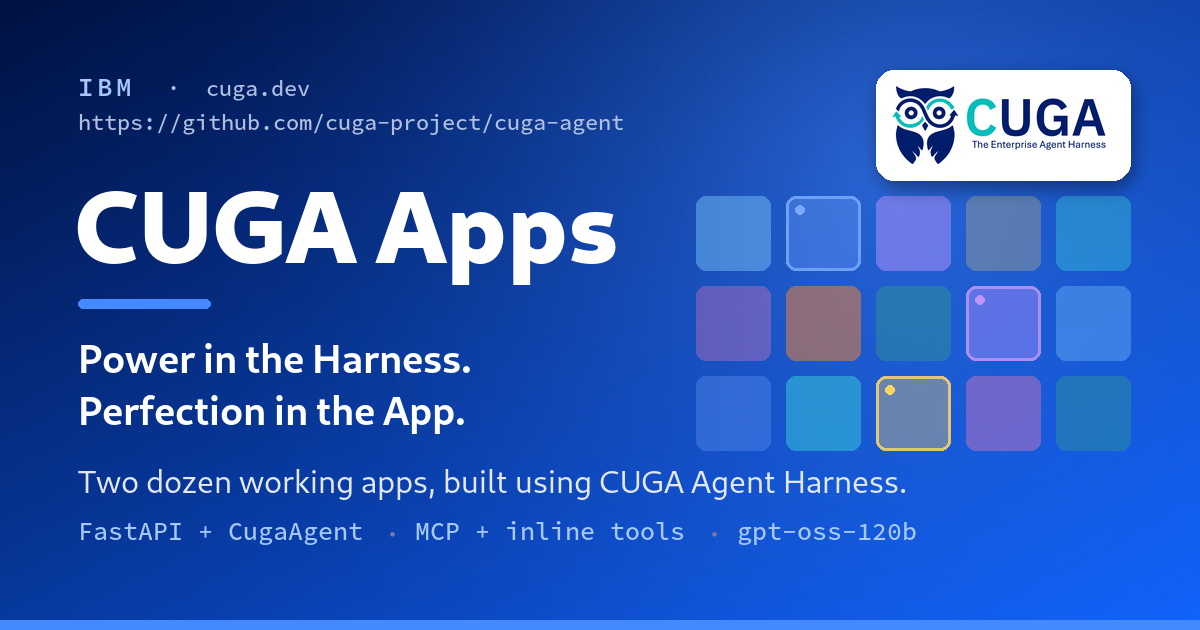
- The framework comes with two dozen working examples, providing practical, single-file applications for developers to learn from and adapt.
Build Real Agentic Apps with CUGA: A Hands-On Tutorial for Developers
The promise of AI agents is huge: autonomous systems that can understand complex goals, use tools, and execute multi-step workflows to achieve results. Yet, for many developers, building these "agentic apps" in the real world often feels like wrestling with complex plumbing. From orchestrating tools and managing state to ensuring reliability and governance, the initial setup can consume weeks before the agent even performs a useful task. This is where
CUGA, the Configurable Generalist Agent from IBM Research, steps in.
CUGA positions itself as an "agent harness for the enterprise," abstracting away much of this underlying complexity. It allows you to quickly build robust, agentic applications with a focus on your specific tools and prompts, rather than the intricate mechanics of agent orchestration. What makes CUGA particularly compelling for developers is its commitment to practical application, exemplified by its "two dozen working examples" – a rich collection of single-file applications ready for you to explore, understand, and adapt.
This tutorial will guide you through getting started with CUGA, understanding its core principles, and building your first agentic application. We’ll also show you how to leverage the extensive example library to accelerate your development.
What Exactly is CUGA?
CUGA, short for Configurable Generalist Agent, is an open-source framework developed by IBM Research. It’s not just another agent library; it's an "agent harness" designed to provide a comprehensive, enterprise-ready platform for building and deploying AI agents.
Think of an agent harness as a robust infrastructure that takes care of all the non-application-specific work involved in building an agent. This includes the intricate planning and execution loops, managing tool calls, handling state, and even enforcing governance policies. By handling this foundational "plumbing," CUGA frees developers to concentrate on the unique aspects of their agent: the tools it uses and the instructions it follows.
IBM Research released CUGA with the goal of making agent development more accessible and reliable, especially for complex enterprise automation scenarios. It combines and improves upon foundational agentic patterns like ReAct, CodeAct, and Planner-Executor into a modular architecture.
Why CUGA? Beyond Basic Agent Frameworks
Many existing agent frameworks offer good primitives, but often leave the crucial aspects of governance, policy enforcement, human-in-the-loop approval, and audit trails for developers to build from scratch. CUGA takes a different approach, integrating these enterprise-grade features directly into its harness from the start.
Here’s why CUGA stands out:
- Enterprise-Grade Governance: CUGA includes a comprehensive policy system with five types of policies: Intent Guard, Playbook, Tool Approval (Human-in-the-Loop), Tool Guide, and Output Formatter. These ensure agents behave safely, reliably, and in alignment with business rules.
- High Performance on Benchmarks: CUGA has demonstrated impressive capabilities, achieving top rankings on leading benchmarks. It scored #1 on AppWorld, which involves 750 real-world tasks across 457 APIs, and #2 on WebArena, a benchmark for autonomous web agents.
- Flexible Tool Integration: It seamlessly integrates various tool types, including REST APIs via OpenAPI specifications, Model Context Protocol (MCP) servers, and even LangChain functions.
- Configurable Reasoning Modes: Developers can choose between "Fast," "Balanced," and "Accurate" reasoning modes, allowing them to optimize for latency, cost, or precision based on the task's requirements.
- Multi-Agent Orchestration: CUGA supports complex multi-agent systems, where CUGA agents can themselves be exposed as tools to other agents, enabling sophisticated nested reasoning and collaboration. This is managed through the `CugaSupervisor`.
- Secure Code Execution: For tasks requiring code, CUGA supports execution in secure sandboxes using E2B, or locally, providing flexibility and isolation.
- Open-Source and Community-Driven: Being open-source, CUGA encourages community contributions and transparency, which is vital for building trust in enterprise AI.
Getting Started: Setting Up Your CUGA Development Environment
To begin building with CUGA, you'll need a Python environment. CUGA is designed to be developer-friendly and integrates well with standard Python tools.
Prerequisites
- Python 3.9 or higher: Ensure you have a compatible Python version installed.
- `uv` (recommended) or `pip`: `uv` is a fast Python package installer and resolver. While `pip` works, `uv` often provides a smoother experience. If you don't have `uv`, you can install it via `pip install uv`.
- An LLM API Key: CUGA supports various Large Language Models (LLMs) including OpenAI, Anthropic, IBM watsonx, LiteLLM, and Ollama. You'll need an API key for your chosen provider. For this tutorial, we'll assume an OpenAI key, but the process is similar for others.
Installation
CUGA can be easily installed using `pip` or `uv`:
pip install cuga
Or, if you're using `uv`:
uv pip install cuga
Basic Configuration (LLM Setup)
CUGA uses environment variables or configuration files to manage LLM providers. The simplest way to get started is by setting your API key in a `.env` file in your project directory.
Create a file named `.env` in your project root and add your OpenAI API key:
OPENAI_API_KEY="your_openai_api_key_here"
You can also specify the LLM provider through an environment variable `AGENT_SETTING_CONFIG`. For example, to use OpenAI:
export AGENT_SETTING_CONFIG="settings.openai.toml"
CUGA includes default configuration files for different providers (e.g., `settings.openai.toml`, `settings.watsonx.toml`).
Before building, let's briefly touch on the fundamental components of CUGA:
CugaAgent: This is the heart of your agentic application. The `CugaAgent` is responsible for receiving instructions, planning actions, using tools, and executing tasks. It encapsulates the complex reasoning and execution loops.- Tools: Agents need tools to interact with the outside world. CUGA supports various types:
- MCP Servers: These are generic, stateless capabilities hosted on shared servers (e.g., web search, knowledge bases, finance tools).
- OpenAPI Specs: Integrate with REST APIs by providing their OpenAPI specifications.
- LangChain Tools: Leverage the vast ecosystem of tools available through LangChain.
- Custom Python Functions: Define your own Python functions as tools for specific tasks.
- Policies: These are crucial for enterprise-grade agents. Policies define guardrails, approval workflows, and specific behaviors. For example, an "Intent Guard" policy might prevent an agent from performing certain actions based on the user's request.
Building Your First Agentic App with CUGA: A Simple Example
Let's create a basic CUGA agent that can perform a simple arithmetic calculation using a custom tool. This will give you a feel for how to define agents and integrate tools.
Step 1: Create a Project Structure
Create a new directory for your project and navigate into it:
mkdir my_first_cuga_app
cd my_first_cuga_app
Step 2: Define Your `CugaAgent`
Create a Python file, say `calculator_agent.py`. In this file, you'll import `CugaAgent` and define your custom tool.
We'll define a Python function that performs addition and expose it as a tool for our `CugaAgent`. CUGA allows you to define tools directly as functions.
# calculator_agent.py
from cuga import CugaAgent
from typing import Dict, Any

# Define a simple addition tool
def add_numbers(num1: float, num2: float) -> Dict[str, Any]:
    """Adds two numbers together.

    Args:
        num1 (float): The first number.
        num2 (float): The second number.

    Returns:
        Dict[str, Any]: A dictionary containing the result.
    """
    result = num1 + num2
    return {"sum": result}

# List of tools available to the agent
# CUGA automatically infers schema from function signature and docstrings
tools = [add_numbers]

# Define the agent's instructions
# This tells the agent what its purpose is and how to use its tools
agent_instructions = """
You are a helpful assistant that can perform arithmetic operations.
Specifically, you can add two numbers using the 'add_numbers' tool.
When asked to add numbers, use the 'add_numbers' tool and provide the result.
"""

# Initialize the CugaAgent
# The create_llm function is a utility that loads the LLM based on environment variables
# or settings files, supporting various providers like OpenAI, watsonx, etc.
# For simplicity, we assume OPENAI_API_KEY is set in your .env file.
# The cuga_folder is where agent state and policies are stored.
agent = CugaAgent(
    tools=tools,
    special_instructions=agent_instructions,
    cuga_folder=".cuga_data" # A folder for agent's internal state and policies
)

async def run_agent(query: str):
    """Runs the CUGA agent with a given query."""
    print(f"User query: {query}")
    response = await agent.run(query)
    print(f"Agent response: {response['response']}")
    if response.get("tool_calls"):
        print(f"Tool calls: {response['tool_calls']}")
    if response.get("tool_outputs"):
        print(f"Tool outputs: {response['tool_outputs']}")
    print("-"

• 30)

if __name__ == "__main__":
    import asyncio

    # Example queries
    asyncio.run(run_agent("What is 5 + 3?"))
    asyncio.run(run_agent("Please add 10.5 and 20.2 for me."))
    asyncio.run(run_agent("Tell me a joke.")) # Agent should respond it can't tell jokes
Step 4: Craft the Agent's Instructions
The `agent_instructions` string is crucial. It acts as the system prompt, guiding the agent on its role, capabilities, and how to use its available tools. We've included clear guidance for the `add_numbers` tool.
Step 5: Run Your Agent
To run this agent, make sure you have your `.env` file set up and then execute the Python script:
python calculator_agent.py
You should see output similar to this, demonstrating the agent's ability to understand the request, call the `add_numbers` tool, and provide the correct sum:
User query: What is 5 + 3?
Agent response: The sum of 5 and 3 is 8.0.
Tool calls: [{'tool': 'add_numbers', 'args': {'num1': 5.0, 'num2': 3.0}}]
Tool outputs: [{'tool_name': 'add_numbers', 'output': {'sum': 8.0}}]
------------------------------
User query: Please add 10.5 and 20.2 for me.
Agent response: The sum of 10.5 and 20.2 is 30.7.
Tool calls: [{'tool': 'add_numbers', 'args': {'num1': 10.5, 'num2': 20.2}}]
Tool outputs: [{'tool_name': 'add_numbers', 'output': {'sum': 30.7}}]
------------------------------
User query: Tell me a joke.
Agent response: I'm sorry, I can only perform arithmetic operations using the 'add_numbers' tool. I cannot tell jokes.
------------------------------
This simple example illustrates CUGA's core strength: defining tools and instructions, and letting the harness handle the complex reasoning and execution flow.
Exploring CUGA's Two Dozen Examples: Learning by Doing
The true power of CUGA, especially for new users, lies in its comprehensive collection of working examples. The original feed item highlights "two dozen working examples on a lightweight harness," and these are readily available in the
`cuga-apps` GitHub repository. These examples are designed as single-file FastAPI applications, making them easy to read, understand, and adapt.
How to Access the Examples
- Clone the `cuga-apps` repository:
git clone https://github.com/cuga-project/cuga-apps.git
cd cuga-apps
- Explore the `apps` directory:
Inside the `cuga-apps` repository, navigate to the `apps` directory. You'll find a wide array of examples, from a movie recommender to an IBM Cloud architecture advisor. Each example typically consists of a single Python file, making it incredibly easy to grasp its functionality.
- Run an example:
Most examples are designed to run as FastAPI applications. You'll likely need to install additional dependencies for each specific app (check their `requirements.txt` or similar). Then, you can run them using `uvicorn`:
# Example: running a movie recommender app
cd cuga-apps/apps/movie_recommender # Or any other example app
# Install app-specific dependencies if any
# pip install -r requirements.txt
uvicorn main:app --reload --port 8000
This will start a local server, and you can interact with the agent via a web interface or API calls.
Highlights from the Example Gallery
The `cuga-apps` repository offers diverse use cases:
- Movie Recommender: Demonstrates how an agent can interact with a movie database tool to provide recommendations.
- IBM Cloud Architecture Advisor: Shows an agent providing expert advice by leveraging specific knowledge bases and tools.
- `Ouroboros` (Multi-Agent Lead-Gen App): This advanced example showcases a seven-agent lead-generation application, demonstrating governance and multi-agent collaboration with attached policies like intent guards and output formatters.
- API and Web Automation Examples: Many examples illustrate how CUGA agents can orchestrate multiple API calls or perform browser-based tasks.
By studying these examples, you can quickly understand how to:
- Define various types of tools (inline Python functions, external API calls via MCP).
- Craft effective `special_instructions` to guide agent behavior.
- Implement policies for robust control and governance.
- Structure your agentic applications for different use cases.
Advanced Features and Enterprise Readiness
CUGA is built with enterprise needs in mind, offering features that go beyond basic agent functionality:
- Browser Automation: With built-in Playwright integration, CUGA agents can perform sophisticated web scraping and interact with web applications.
- Multi-Agent Systems with `CugaSupervisor`: For highly complex workflows, CUGA enables the creation of supervisor agents that decompose tasks, route them to specialized sub-agents, and delegate execution.
- Human-in-the-Loop (HITL) Approvals: Critical for sensitive enterprise tasks, CUGA's policy system allows for human intervention and approval at various stages of an agent's workflow.
- Integration with Langflow: For developers who prefer a visual, low-code approach, CUGA integrates with Langflow, allowing for drag-and-drop design and deployment of agent workflows.
- Sandboxed Code Execution: Beyond local execution, CUGA supports secure, ephemeral cloud sandboxes (like E2B) for executing code, providing enhanced isolation and reliability.
- Memory and Knowledge (RAG): CUGA includes capabilities for memory management to maintain context in ongoing conversations and supports Retrieval Augmented Generation (RAG) for incorporating external knowledge.
Conclusion: Empowering Developers to Build Real Agents
CUGA represents a significant step forward in making AI agent development practical and robust for enterprise environments. By providing a "lightweight harness" that handles the intricate plumbing, IBM Research has empowered developers to focus on the creative and business-specific aspects of building agentic applications.
Whether you're looking to automate complex workflows, integrate diverse APIs, or build intelligent assistants with built-in governance, CUGA offers a powerful, open-source solution. The extensive collection of two dozen working examples makes the learning curve remarkably smooth, allowing you to quickly move from concept to a deployable, real-world agent. Dive into CUGA, explore its capabilities, and start building the next generation of intelligent applications.
Frequently Asked Questions
What is CUGA?
CUGA, or Configurable Generalist Agent, is an open-source agent harness from IBM Research. It's designed to simplify the creation of enterprise-grade AI agentic applications by handling the complex underlying infrastructure, such as planning, execution, tool orchestration, and governance.
Who developed CUGA and is it open source?
CUGA was developed by IBM Research and is indeed open source. It's available on GitHub under the cuga-project organization.
What kind of applications can I build with CUGA?
You can build a wide range of agentic applications with CUGA, especially those requiring complex, multi-step workflows, API orchestration, web automation, and adherence to enterprise policies. Examples include movie recommenders, architecture advisors, multi-agent lead generation systems, and various business process automation tools.
Does CUGA support different Large Language Models (LLMs)?
Yes, CUGA is designed to be flexible and supports multiple LLM providers, including OpenAI, Anthropic, IBM watsonx, LiteLLM, Ollama, Azure OpenAI, Groq, and OpenRouter. You can configure your preferred LLM using environment variables or configuration files.