Key Takeaways
- Mastering SQL beyond the basics is crucial for data scientists to efficiently clean, transform, and analyze data for AI and machine learning projects.
- Techniques like Window Functions, CTEs, and careful indexing can dramatically improve query performance and readability.
- Understanding how to handle dates, NULLs, and perform conditional aggregations are practical skills for real-world data challenges.
- Efficient SQL practices lead to better data pipelines, faster insights, and more robust feature engineering for AI model development.
In the world of data science, where the demand for clean, well-structured data fuels the next generation of AI and machine learning models, SQL remains an indispensable skill. While many can write basic queries, truly effective data scientists know how to wield SQL as a powerful tool for complex data manipulation, performance optimization, and insightful analysis. This isn't just about pulling data; it's about shaping it, understanding its nuances, and preparing it for the rigorous demands of AI.
This tutorial will walk you through several practical SQL tricks and patterns that can make your everyday data analysis workflows cleaner, faster, and much easier to manage. Whether you're working with a relational database like PostgreSQL or MySQL, or a data warehouse like Snowflake or Google BigQuery, these techniques are universally valuable.
Why Advanced SQL Matters for Data Scientists
Before diving into the tricks, let's quickly touch on why going beyond SELECT FROM table is so important for data scientists:
- Data Preprocessing: AI models thrive on clean data. SQL is often the first step in handling missing values, standardizing formats, and engineering new features from raw data.
- Feature Engineering: Complex features (like moving averages, time differences, or aggregated statistics) can often be created directly in SQL, saving time and resources downstream.
- Performance: Efficient queries mean faster data retrieval, which is critical when dealing with large datasets common in AI applications.
- Reproducibility: Well-structured SQL queries are easier to understand, debug, and reproduce, which is vital for collaborative data science projects.
- Scalability: Writing scalable SQL ensures your data pipelines can handle growing data volumes without breaking.
Essential SQL Patterns and Workflows for Data Scientists
1. Master Window Functions for Advanced Analytics
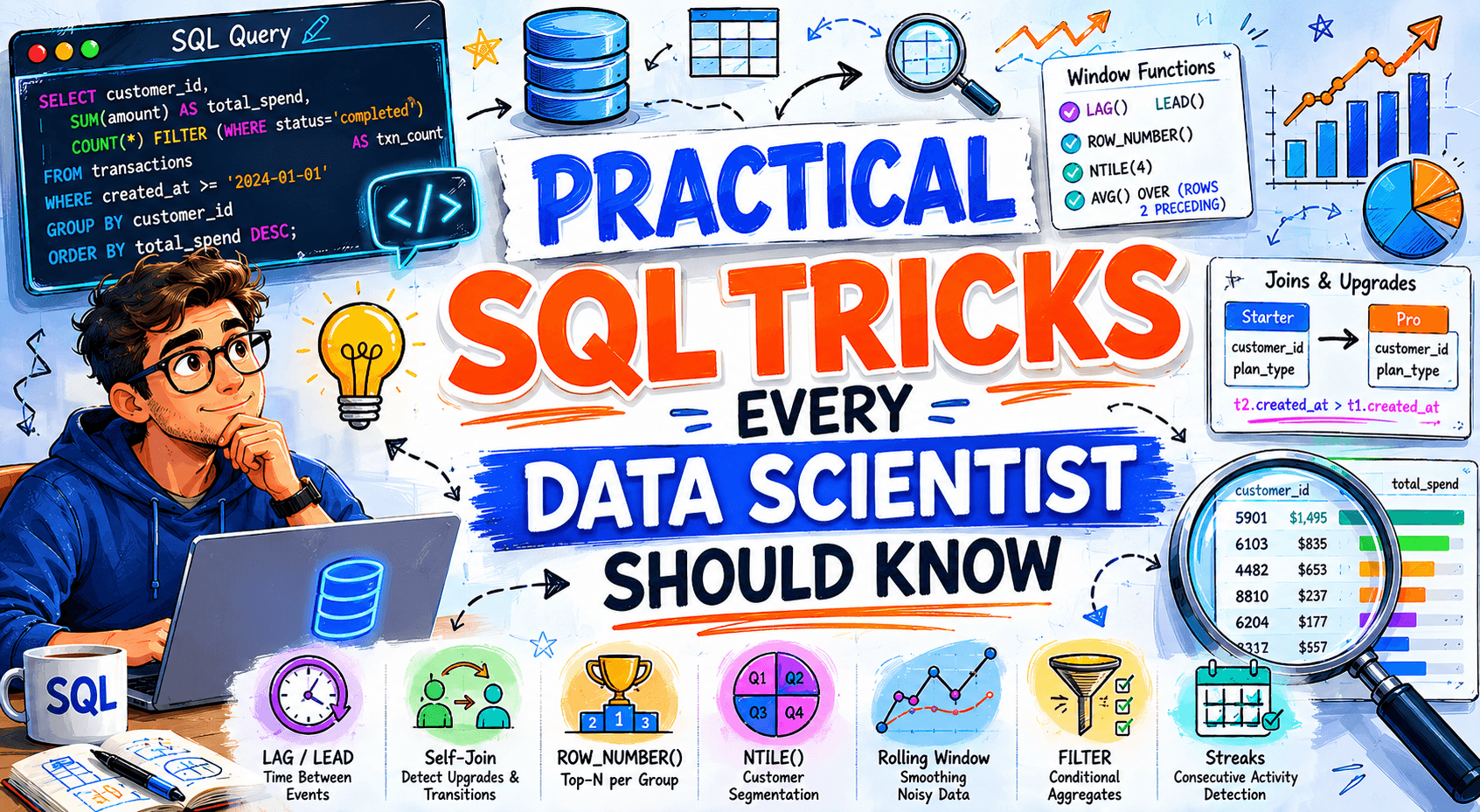
Window functions are a game-changer for analytical tasks that involve calculations across a set of table rows related to the current row. They allow you to perform aggregations (like SUM, AVG, COUNT) or ranking (like ROW_NUMBER, RANK) without grouping the entire result set, preserving individual rows. This is incredibly useful for time-series analysis, calculating running totals, or finding top N records within groups.
How They Work
Window functions use an OVER() clause, which defines the "window" or set of rows the function operates on. This clause can include:
PARTITION BY: Divides the rows into groups, and the function is applied to each group independently.ORDER BY: Sorts the rows within each partition.ROWS/RANGE BETWEEN: Defines a frame within the partition (e.g., "previous 3 rows and current row").
Use Case: Calculating Moving Averages
Imagine you're analyzing user activity for an AI-powered recommendation system and need to see the 7-day moving average of daily active users (DAU) to spot trends.
SELECT
    event_date,
    daily_active_users,
    AVG(daily_active_users) OVER (
        ORDER BY event_date
        ROWS BETWEEN 6 PRECEDING AND CURRENT ROW
    ) AS seven_day_moving_avg
FROM
    user_activity_log;
Here, AVG() is applied to a window of the current row and the 6 preceding rows, ordered by event_date. This is a common pattern in feature engineering for time-series models. For more details on window functions, refer to the PostgreSQL documentation on Window Functions.
Use Case: Ranking Within Groups
You might want to rank products by sales within each product category for a marketing campaign.
SELECT
    product_category,
    product_name,
    sales_amount,
    RANK() OVER (
        PARTITION BY product_category
        ORDER BY sales_amount DESC
    ) AS sales_rank_in_category
FROM
    product_sales;
RANK() assigns a rank to each product based on its sales within its respective category.
2. Leverage Common Table Expressions (CTEs) for Readability and Modularity
Common Table Expressions (CTEs), introduced in SQL:1999, are temporary, named result sets that you can reference within a single SQL statement (SELECT, INSERT, UPDATE, DELETE). They greatly improve query readability, especially for complex, multi-step data transformations.
How They Work
You define a CTE using the WITH clause, followed by a name and a query. You can then refer to this CTE in subsequent CTEs or the final query.
Use Case: Breaking Down Complex Calculations
Suppose you need to calculate the average order value per customer, but only for customers who have made more than 5 orders, and then find the top 10 of those customers. Without CTEs, this could become a nested subquery nightmare.
WITH CustomerOrderCounts AS (
    SELECT
        customer_id,
        COUNT(order_id) AS total_orders,
        SUM(order_value) AS total_order_value
    FROM
        orders
    GROUP BY
        customer_id
),
QualifiedCustomers AS (
    SELECT
        customer_id,
        total_order_value / total_orders AS avg_order_value
    FROM
        CustomerOrderCounts
    WHERE
        total_orders > 5
)
SELECT
    customer_id,
    avg_order_value
FROM
    QualifiedCustomers
ORDER BY
    avg_order_value DESC
LIMIT 10;
This query is much easier to follow step-by-step. First, we count orders and sum values. Second, we filter for qualified customers and calculate their average order value. Finally, we select the top 10. This modularity is excellent for debugging and understanding complex data pipelines for AI feature generation.
3. Optimize with Proper Indexing
Indexes are crucial for query performance, especially on large datasets. They work much like an index in a book, allowing the database to quickly locate specific rows without scanning the entire table. For data scientists, understanding when and how to apply indexes can drastically speed up data extraction and feature generation queries.
How They Work
An index is a data structure (most commonly a B-tree) that stores a sorted list of values from one or more columns of a table, along with pointers to the corresponding rows. When you query a column that has an index, the database can use the index to find the data much faster.
Use Case: Speeding Up Lookups and Joins
If you frequently filter by user_id or join tables on product_id, these columns are prime candidates for indexing.
-- Create an index on a frequently queried column
CREATE INDEX idx_user_id ON user_events (user_id);

-- Create a composite index for columns often used together in WHERE clauses or joins
CREATE INDEX idx_product_category_date ON sales (product_category, sale_date);
Be mindful that while indexes speed up reads, they can slow down writes (INSERT, UPDATE, DELETE) because the index also needs to be updated. Use them judiciously on columns that are frequently read and used in WHERE clauses, JOIN conditions, or ORDER BY clauses. Learn more about indexing from the MySQL documentation on B-Tree Indexes.
4. Efficiently Handle NULL Values
Missing data (represented as NULLs in SQL) is a constant challenge in data science. Knowing how to handle them effectively in SQL is vital for accurate analysis and robust feature engineering.
Use Case: Providing Default Values
The COALESCE() function returns the first non-NULL expression in its argument list. It's perfect for replacing NULLs with a default value.
SELECT
    order_id,
    COALESCE(shipping_address, 'Unknown Address') AS final_shipping_address,
    COALESCE(discount_amount, 0) AS actual_discount_amount
FROM
    orders;
This ensures that downstream analyses or AI models don't encounter unexpected NULLs where a value is expected. The Google BigQuery documentation on COALESCE provides further examples.
Use Case: Filtering Out NULLs
Sometimes, you just need to exclude rows with missing critical information.
SELECT
    user_id,
    email
FROM
    users
WHERE
    email IS NOT NULL;
5. Conditional Aggregation with CASE WHEN
The CASE WHEN statement combined with aggregate functions allows you to perform powerful conditional aggregations. This is incredibly useful for pivoting data or counting specific conditions within groups, directly in your SQL query.
Use Case: Counting Specific Event Types
Suppose you want to count how many users performed a 'login' event and how many performed a 'purchase' event, all in one query, grouped by date.
SELECT
    event_date,
    COUNT(CASE WHEN event_type = 'login' THEN user_id END) AS logins,
    COUNT(CASE WHEN event_type = 'purchase' THEN user_id END) AS purchases
FROM
    user_events
GROUP BY
    event_date
ORDER BY
    event_date;
This trick is invaluable for quickly generating summary statistics or features based on event types for your AI models.
6. Mastering Date and Time Functions
Time-series data is prevalent in AI, from predicting stock prices to understanding user behavior. SQL's date and time functions are essential for extracting meaningful features.
Use Case: Extracting Components and Truncating Dates
You might need to extract the hour of the day for a feature, or group data by week for analysis.
-- Extracting the hour from a timestamp (syntax varies by database)
SELECT
    event_timestamp,
    EXTRACT(HOUR FROM event_timestamp) AS event_hour
FROM
    sensor_data;

-- Truncating a timestamp to the start of the week (e.g., in PostgreSQL)
SELECT
    DATE_TRUNC('week', event_timestamp) AS week_start,
    COUNT(DISTINCT user_id) AS weekly_active_users
FROM
    user_activity
GROUP BY
    week_start
ORDER BY
    week_start;
Functions like EXTRACT, DATE_TRUNC (PostgreSQL, BigQuery), DATE_FORMAT (MySQL), or DATETIME_TRUNC (BigQuery) are vital for time-based feature engineering. Consult the Snowflake documentation for date and time functions for a comprehensive list of capabilities.
7. Regular Expressions for Pattern Matching
When dealing with unstructured or semi-structured text data, regular expressions (regex) in SQL can be powerful for pattern matching, validation, and extraction. This is especially useful for cleaning text features before feeding them into NLP models.
How They Work
Most SQL databases support regex functions (e.g., REGEXP_MATCH, REGEXP_SUBSTR, ~ operator in PostgreSQL). The exact syntax can vary.
Use Case: Extracting Specific Information from Text
Imagine you have a 'notes' column and want to find all entries that mention an email address.
-- PostgreSQL example using the ~ operator
SELECT
    note_id,
    note_text
FROM
    customer_notes
WHERE
    note_text ~ '[A-Za-z0-9._%+-]+@[A-Za-z0-9.-]+\.[A-Za-z]{2,4}';

-- Google BigQuery example using REGEXP_EXTRACT
SELECT
    log_entry,
    REGEXP_EXTRACT(log_entry, r'IP: (\d{1,3}\.\d{1,3}\.\d{1,3}\.\d{1,3})') AS extracted_ip_address
FROM
    server_logs
WHERE
    REGEXP_CONTAINS(log_entry, r'IP: (\d{1,3}\.\d{1,3}\.\d{1,3}\.\d{1,3})');
Regex can be complex, but mastering basic patterns can save immense time in data cleaning. The PostgreSQL documentation on Pattern Matching is a good resource.
General Best Practices for Data Scientists with SQL
- Understand Your Data: Before writing any complex query, spend time understanding the schema, data types, and potential data quality issues.
- Start Simple, Then Build: For complex problems, break them down into smaller, manageable CTEs or subqueries. Build and test each part incrementally.
- Comment Your Code: Explain complex logic, especially for CTEs or window functions, so others (or your future self) can understand it.
- Avoid
SELECT *in Production: Explicitly list the columns you need. This improves readability, reduces data transfer, and prevents issues if the schema changes. - Test on Representative Data: Always test your queries on a subset of data that reflects the complexity and volume of your production environment.
- Be Mindful of Performance: Use
EXPLAINorEXPLAIN ANALYZE(syntax varies by database) to understand how your queries are executed and identify bottlenecks. - Use Version Control: Treat your SQL scripts like any other code. Store them in Git or similar systems.
Conclusion
SQL is far more than just a query language; it's a powerful data manipulation tool that every data scientist needs to master. By incorporating these practical tricks—from the analytical power of window functions and the readability of CTEs to the performance gains of indexing and the robustness of handling NULLs—you can transform your data analysis workflow. These skills not only make your life easier but also lay a stronger foundation for the high-quality data necessary to build, train, and evaluate sophisticated AI and machine learning models. Keep practicing, keep experimenting, and watch your data science capabilities soar.
Frequently Asked Questions
What is the main benefit of using Window Functions in SQL for data scientists?
The main benefit of Window Functions is their ability to perform calculations across a set of related rows without collapsing them into a single aggregate result, unlike traditional GROUP BY. This allows data scientists to compute metrics like moving averages, rankings, or cumulative sums while retaining the granularity of individual records, which is crucial for detailed feature engineering and time-series analysis.
How do Common Table Expressions (CTEs) improve SQL query writing?
CTEs significantly improve SQL query writing by enhancing readability and modularity. They allow you to break down complex queries into smaller, named, logical steps. This makes the query easier to understand, debug, and maintain, especially when performing multi-stage data transformations or when needing to reference the same subquery multiple times within a larger query.
When should I consider creating an index on a SQL table?
You should consider creating an index on columns that are frequently used in WHERE clauses (for filtering), JOIN conditions (for linking tables), or ORDER BY clauses (for sorting). Indexes dramatically speed up data retrieval for these operations on large tables. However, remember that indexes add overhead to data modification operations (INSERT, UPDATE, DELETE), so use them judiciously on columns that are predominantly read.
Why is handling NULL values important in data science SQL workflows?
Handling NULL values is critical because missing data can lead to inaccurate analyses, incorrect aggregations, and issues when feeding data into machine learning models, which often do not handle NULLs gracefully. Using functions like COALESCE() to provide default values or filtering out rows with critical NULLs ensures data quality, consistency, and the robustness of your data pipelines for AI applications.