Key Takeaways
- Claude Design, a research preview by Anthropic Labs, allows creators to generate interactive prototypes and designs using natural language.
- It's powered by Claude Opus 4.7's vision capabilities, enabling conversational design and refinement on a live canvas.
- Access is available through Claude Pro, Max, Team, and Enterprise subscriptions, starting at $20/month, though higher tiers are recommended for regular use due to token limits.
- The tool simplifies the design workflow by allowing direct creation of working HTML prototypes with navigation, multimedia, and 3D elements, and integrates with Claude Code for development handoff.
Designing and prototyping user interfaces or marketing materials used to be a multi-step process, often requiring specialized skills and a suite of different tools. But what if you could simply describe your vision and watch it come to life as an interactive, functional prototype? That's exactly the promise of Claude Design, a fascinating research preview from Anthropic Labs.
Launched on April 17, 2026, Claude Design is a game-changer for creators, product managers, and developers alike. It's an innovative product powered by the advanced vision capabilities of Claude Opus 4.7, designed to transform your ideas into tangible, interactive designs through a conversational interface. Forget static mockups; Claude Design generates actual code-powered artifacts that browsers can run, complete with working navigation, embedded videos, voice input, and even 3D elements.
This tutorial will walk you through everything you need to know to get started with Claude Design, from accessing the platform to crafting effective prompts and exporting your creations. Whether you're a seasoned designer looking to accelerate your workflow or a product manager wanting to quickly visualize ideas, Claude Design offers a powerful new way to bring your concepts to reality.
Getting Started with Claude Design
Before you can dive into creating with Claude Design, you need to understand how to access it. As a research preview from Anthropic Labs, Claude Design is currently available to subscribers of specific Claude AI plans.
Access Requirements
- Claude Design is bundled into existing Claude subscription plans.
- You'll need an active subscription to one of the following tiers: Claude Pro, Claude Max, Claude Team, or Claude Enterprise.
- For Enterprise users, Claude Design is turned off by default and needs to be enabled by an administrator.
- Currently, Claude Design is accessible exclusively through the Claude AI browser application. It is not available in the desktop app.
Once you have the appropriate subscription, you can typically find Claude Design via a dedicated icon (often a color palette icon) in the left sidebar of your main Claude AI dashboard. The official entry point is claude.ai/design.
Understanding the Claude Design Interface
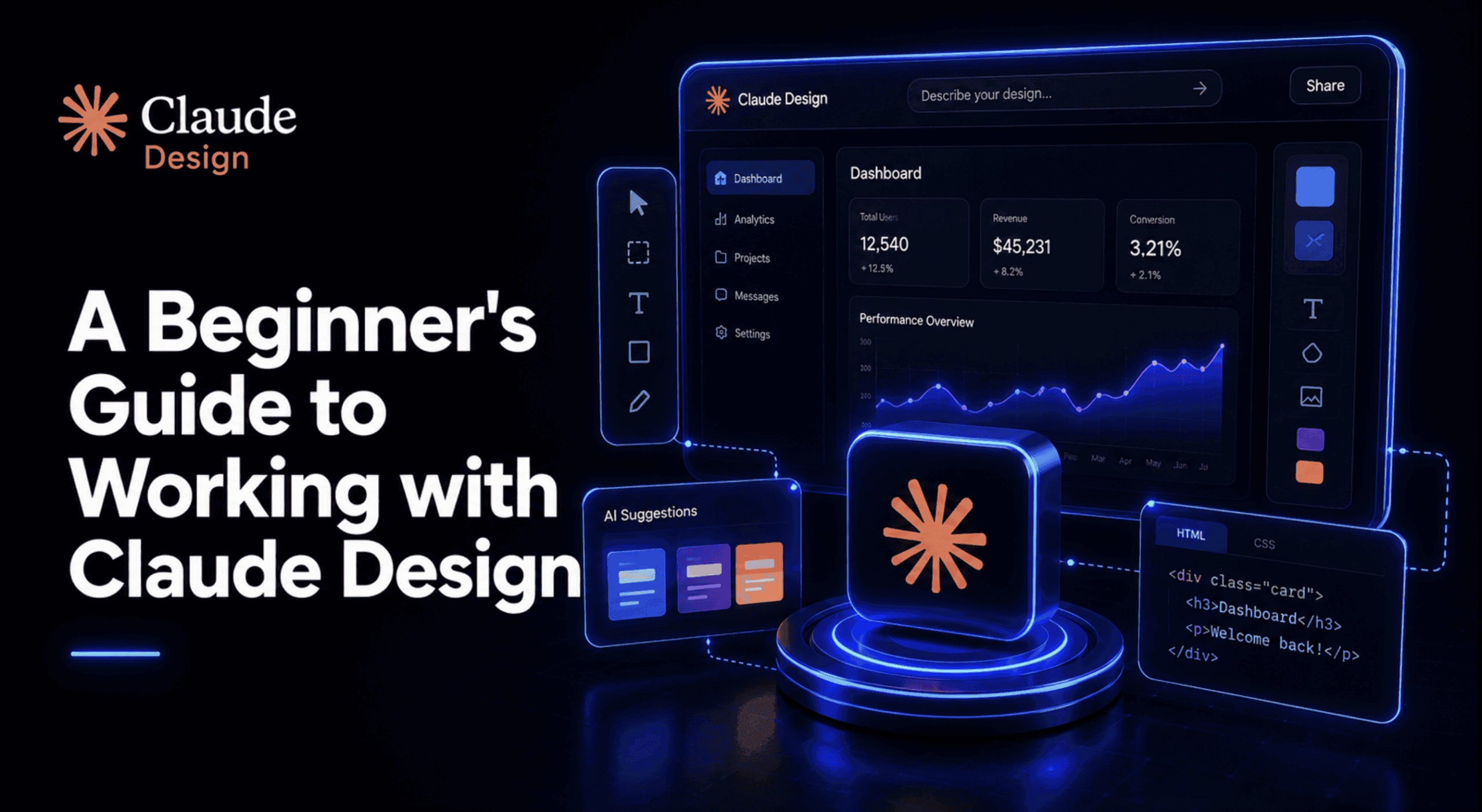
When you first open Claude Design, you'll notice a split interface, designed for intuitive collaboration with the AI.
- Chat Panel (Left Side): This is where you'll communicate with Claude. You input your design requests, provide feedback, and ask for revisions using natural language. Think of it as a conversation with a design teammate.
- Live Canvas (Right Side): This is your visual workspace. As you type in the chat panel, Claude will generate and update your design here in real-time. What makes this special is that it's not just a static image; it's a live, interactive prototype that you can click through and test.
This setup allows for a fluid workflow: describe, see, refine, repeat. You can select elements on the canvas, leave comments directly on them, or continue the conversation in the chat to guide Claude's revisions.
Step-by-Step Guide to Creating Prototypes with Claude Design
Working with Claude Design is like having a skilled co-designer at your fingertips. Here’s a detailed breakdown of the process:
Step 1: Setting Up Your Project
When starting a new design, you'll typically begin by naming your project and selecting the type of design you want to create. Claude Design offers options like "high fidelity prototype," "slide decks," or "blank designs." This initial choice helps Claude understand the scope and desired output quality.
Use Case: Imagine you want to create a new mobile app. You'd name your project "My New App Prototype" and select "high fidelity prototype."
Step 2: Crafting Your Initial Prompt
This is where your ideas come to life. In the chat panel, describe what you want Claude to build. Be as detailed as possible, but don't worry about perfect design terminology. Claude is designed to understand plain English.
Tips for Effective Prompts:
- Be Specific: Instead of "make a website," try "design a responsive landing page for a coffee subscription service, featuring a hero section with a strong call to action, a 'how it works' section, and customer testimonials."
- Define the Purpose: What is the main goal of this design? (e.g., "to encourage sign-ups," "to showcase a product portfolio").
- Specify Key Elements: Mention navigation bars, buttons, image galleries, forms, embedded videos, or 3D elements.
- Provide Context/Inspiration: You can upload screenshots of existing designs, wireframes, or even full-page Figma exports as visual input. Claude Opus 4.7 can handle images up to 2,576 pixels, allowing it to "read" detailed visuals.
- Mention Brand Guidelines (if applicable): If your team has a design system, Claude Design can incorporate your colors, typography, and components automatically. You might even upload a document describing your brand guidelines.
Example Prompt: "Create a high-fidelity prototype for an e-commerce checkout flow. It should include a shopping cart summary, shipping address input, payment method selection, and a final order review page. Use a clean, modern aesthetic with a primary blue accent color. Ensure there's a clear progress indicator."
Step 3: Iterating and Refining Your Design
Once you send your initial prompt, Claude will generate a first draft on the live canvas. This is rarely the final version, and that's okay! The power of Claude Design lies in its iterative nature.
- Conversational Feedback: Continue the conversation in the chat. "Can you make the 'Add to Cart' button larger and green?" or "Move the product image to the left side."
- Inline Comments: Hover over specific elements on the canvas. Claude highlights elements as you mouse over them, allowing you to select one and leave a direct comment for revision. For example, you might click a button and type, "Change this button's text to 'Proceed to Payment'."
- Direct Edits (where available): While the primary interaction is conversational, some elements might allow for direct manipulation or adjustment through custom sliders that Claude generates on the fly.
This back-and-forth process allows you to quickly explore many design directions and refine details until you achieve your desired outcome.
Step 4: Adding Advanced Interactive Elements
Claude Design excels at creating genuinely interactive prototypes. You can specifically prompt for:
- Working Navigation: "Add a navigation bar at the top with links for 'Home,' 'Products,' and 'Contact Us.' Make sure the 'Products' link leads to a separate product listing page."
- Embedded Video: "Integrate a YouTube video player into the hero section, featuring our latest product demo."
- Voice Input: "Include a microphone icon in the search bar that allows users to search by voice."
- 3D Elements: "Add a rotating 3D model of our new sneaker on the product detail page."
Because the output is code-powered, these elements are functional, not just visual placeholders.
Step 5: Exporting Your Masterpiece
Once your prototype is complete, Claude Design offers various export options to suit your needs.
- Standalone HTML Files: This is a powerful option, as it gives you a fully functional, interactive web page that you can host or share.
- Folder Exports: For more complex projects, you can export a folder containing all the necessary assets.
- Canva, PDF, PPTX: For presentations, static shares, or further editing in other design tools.
- Internal URLs: Useful for sharing within your team or integrated systems.
Step 6: Handing Off to Development (Claude Code)
One of the most compelling features of Claude Design is its seamless integration with Claude Code. Since both products run on Claude Opus 4.7 and share an understanding of design systems, you can pass your finalized design directly to Claude Code to continue building out the functionality and make it production-ready.
Use Case: After prototyping your e-commerce checkout flow in Claude Design, you can send it to Claude Code, which can then generate the backend logic, API integrations, and database connections needed for a live application.
Who is Claude Design For?
Claude Design is built to empower a wide range of professionals by streamlining the initial stages of visual creation:
- Designers: Explore a dozen design directions in the time it used to take to mock up one, freeing up time for deeper creative work.
- Product Managers: Quickly sketch feature flows and create functional prototypes to communicate ideas more effectively to engineering and stakeholders.
- Founders and Account Executives: Go from a rough outline to an on-brand pitch deck or landing page in minutes.
- Marketers: Spin up landing pages, ad creatives, or marketing collateral rapidly.
- Developers: Receive code-powered artifacts that reduce friction when translating design concepts into actual applications.
Understanding Claude Design Pricing
Claude Design is not a standalone purchase; it's included as a feature within Anthropic's premium Claude AI subscription plans. Understanding the pricing is crucial, especially concerning usage limits.
Here's a breakdown of the plans that include Claude Design:
-
Claude Pro:
- Cost: $20 per month (or $17/month when billed annually at $200/year).
- Details: This is the most affordable entry point. However, it comes with a significant caveat: many reviewers have found the weekly usage budget to be quite restrictive, often running out after just 3 to 5 design prompts or about 35-36 minutes of use. It's suitable for occasional experimentation but not for regular or intensive design work.
-
Claude Max:
- Cost: $100 per month for "Max 5x" usage, or $200 per month for "Max 20x" usage.
- Details: For anyone planning to use Claude Design regularly, the Max tiers are highly recommended. They offer substantially higher token budgets, making longer design sessions and more complex tasks (like design system setups) much more viable.
-
Claude Team:
- Cost: $25 per month per seat (or $20/month per seat when billed annually).
- Details: Designed for collaborative teams, this plan includes Claude Design for both standard and premium seats. It offers usage exceeding the Pro tier. Teams should be mindful of token consumption, as aggressive usage can lead to meaningful overage costs.
-
Claude Enterprise:
- Cost: Custom pricing.
- Details: Offers the most comprehensive features, including enterprise search, SSO, admin controls, and desktop deployment. Claude Design is included but needs to be explicitly enabled by administrators.
While Claude Design itself is part of these subscriptions, the underlying Claude Opus 4.7 model has its own API pricing if you were to access it directly: $15.00 per 1 million input tokens and $75.00 per 1 million output tokens. However, for most users interacting with Claude Design, the subscription tiers are the relevant cost consideration.
Tips for Maximizing Your Claude Design Experience
- Start Simple, Then Elaborate: Begin with a clear, high-level prompt, then refine details iteratively. Don't try to cram everything into the first prompt.
- Leverage Visual Input: Don't just describe; show. Uploading screenshots, wireframes, or even photos of physical sketches can significantly improve Claude's understanding and output quality.
- Understand Token Consumption: Be aware that complex designs, especially those involving large image inputs or long iterative conversations, consume tokens quickly. If you plan on heavy use, consider a Claude Max subscription to avoid hitting weekly limits.
- Utilize Inline Comments: For precise adjustments, use the inline commenting feature on the canvas to point directly to the element you want to change.
- Save and Version Regularly: As with any design tool, save your progress frequently and consider versioning important milestones.
- Be Patient with Research Preview: Remember, Claude Design is a research preview. You might encounter occasional rough edges or limitations. For example, inline comments might sometimes disappear, so pasting feedback into the chat is a suggested workaround.
Conclusion
Claude Design represents a significant leap forward in AI-powered creative tools. By combining Anthropic's powerful Claude Opus 4.7 vision model with an intuitive conversational interface, it democratizes design, allowing anyone to generate interactive prototypes and visual assets with unprecedented speed and flexibility. While its research preview status means there are still areas for growth, its ability to connect the idea phase directly to a working prototype, and even hand off to code, makes it an invaluable asset for designers, product managers, marketers, and developers looking to accelerate their creative workflows. As it evolves, Claude Design has the potential to become an indispensable tool in the modern product development lifecycle.
Frequently Asked Questions
What is Claude Design?
Claude Design is a research preview product from Anthropic Labs that allows users to generate interactive designs, prototypes, slides, and other visual assets by conversing with the Claude AI model. It's powered by Claude Opus 4.7's vision capabilities and produces functional, code-based outputs rather than static images.
How do I access Claude Design?
You can access Claude Design through the Claude AI browser application at claude.ai/design. It requires an active subscription to one of Anthropic's paid plans: Claude Pro, Max, Team, or Enterprise. Enterprise users may need to enable it manually.
What kind of designs can Claude Design create?
Claude Design can create a wide range of visual outputs, including interactive app and website prototypes with working navigation, embedded video, voice input, and 3D elements. It can also generate presentation slides, marketing materials, one-pagers, and apply existing design systems.
Is Claude Design free?
No, Claude Design is not free. It is included as a feature in Anthropic's paid Claude AI subscription plans, starting with Claude Pro at $20 per month. However, the Pro plan has restrictive usage limits, so higher tiers like Claude Max ($100-$200/month) are often recommended for regular use.